Repeat
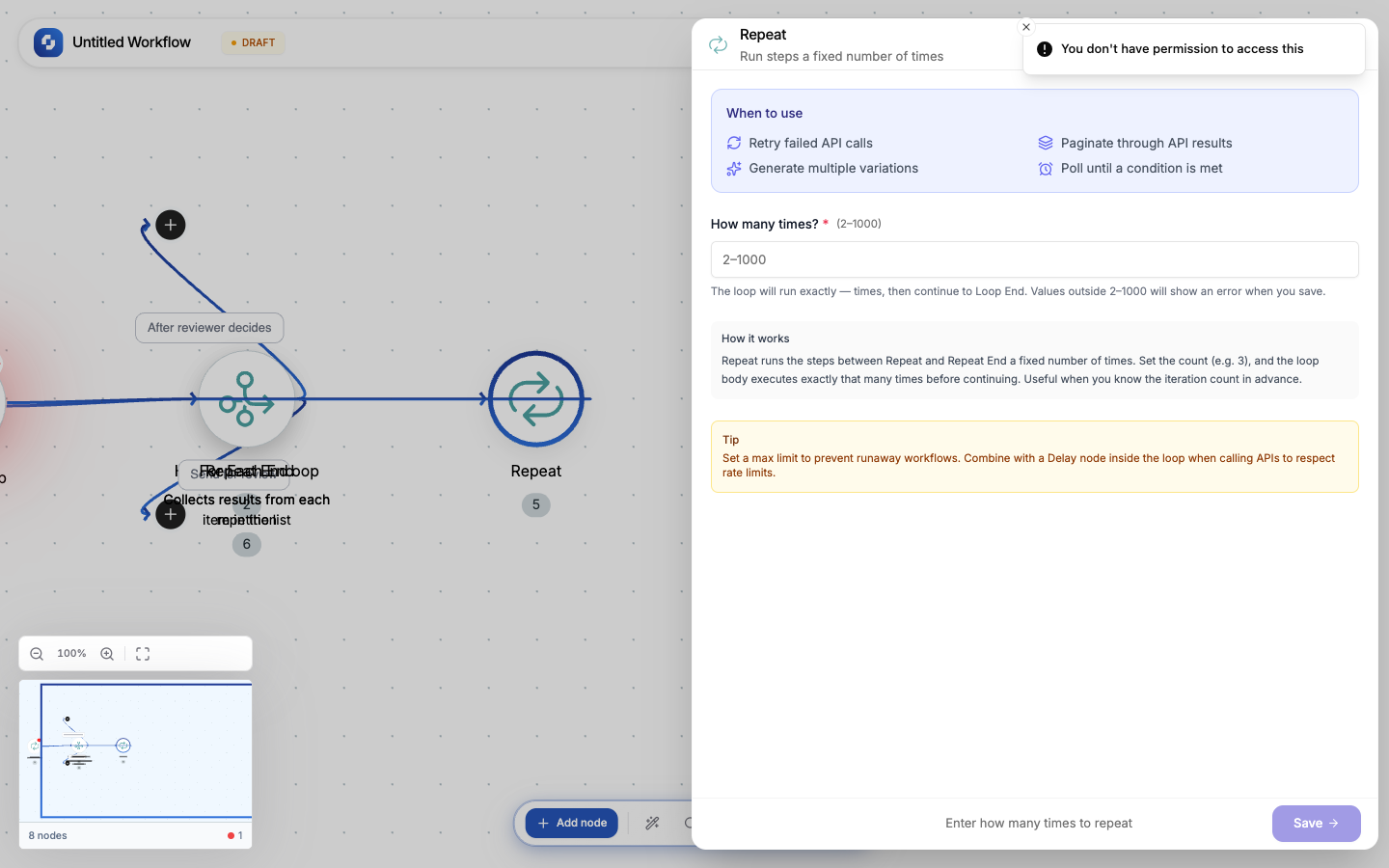
The Repeat node runs a block of nodes a fixed number of times. Unlike For Each (which iterates over an array), Repeat runs a fixed count regardless of data.
Type: REPEAT
Color: Indigo (#4F46E5)
Paired node: Automatically creates a Loop End node
Credits: 1 each time the step runs
Configuration
| Field | Type | Required | Description |
|---|---|---|---|
| Repeat count | Integer | Yes | How many times to run the loop body. Range: 2–1,000. |
How it works
[Repeat (5 times)] → Action A → Action B → [Loop End]
Actions A and B execute 5 times in sequence. After the 5th iteration, the workflow continues past Loop End.
When to use Repeat vs For Each
| Use case | Node |
|---|---|
| "Process each item in a list" | For Each (iterates over an array) |
| "Retry this API call 3 times" | Repeat (fixed count, no array needed) |
| "Send 5 test messages" | Repeat |
| "Poll every 10 seconds, 6 times" | Repeat + Delay |
Common patterns
Retry with backoff
Repeat (3) → HTTP Request → If-Else (status === 200) →
  Success: Stop Loop
  Failure: Delay (exponential) → continue
Batch processing
Repeat (10) → HTTP Request (fetch page N) → Create Record (store results)
Load testing
Repeat (100) → HTTP Request (hit API endpoint) → Log (record response time)
Note
The Repeat count must be between 2 and 1,000. For single executions, you don't need a loop. For more than 1,000 iterations, consider batching with multiple Repeat nodes or using a Loop Until.