Person Enrichment
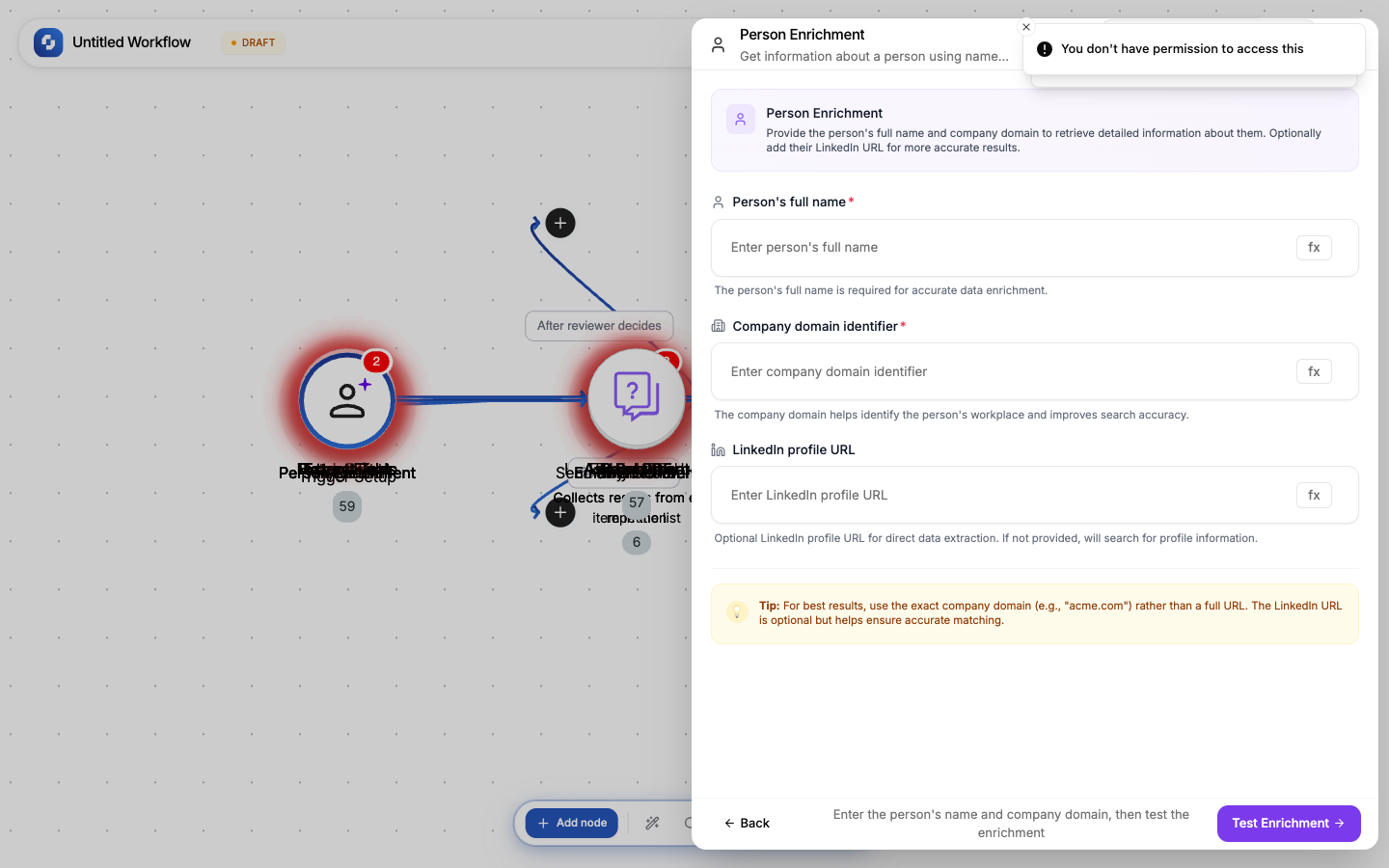
Look up detailed information about a person using their name and company domain. Returns job title, LinkedIn profile, email, phone, and company information.
Type: PERSON_ENRICHMENT
Color: Purple (#8B5CF6)
Credits: 20 per lookup
Tabs: Initialise → Configure → Test
Templates
| Template | Input fields | Use case |
|---|---|---|
| Basic Enrichment | Full name + domain | Standard lead enrichment |
| LinkedIn Enrichment | Full name + domain + LinkedIn URL | Higher accuracy with LinkedIn URL |
Configure fields
| Field | Type | Required | Description |
|---|---|---|---|
| Full name | FX formula | Yes | Person's full legal name (e.g., "Jane Smith") |
| Domain | FX formula | Yes | Company website domain (e.g., "acme.com") |
| LinkedIn URL | FX formula | No | Direct LinkedIn profile URL for more accurate results |
Output
| Variable | Description |
|---|---|
{{enrich.name}} | Full name (confirmed) |
{{enrich.title}} | Job title |
{{enrich.email}} | Business email |
{{enrich.phone}} | Phone number |
{{enrich.linkedin}} | LinkedIn profile URL |
{{enrich.company.name}} | Company name |
{{enrich.company.industry}} | Industry |
{{enrich.company.size}} | Company size range |
{{enrich.company.location}} | HQ location |
Common patterns
Lead enrichment pipeline
Form Submission → Person Enrichment → Create HubSpot Contact (with enriched fields)
Batch enrichment
Find All Records (new leads) → For Each →
  Person Enrichment → Update Record (add enriched data) → Delay (1s)
Qualify then enrich
Form Submission → If-Else (company email domain, not gmail/yahoo) →
  Business email: Person Enrichment → Create CRM Record
  Personal email: Send generic welcome email
Warning
Person Enrichment costs 20 credits per lookup. Use it selectively. Filter out personal email addresses (gmail, yahoo) before enriching; they rarely return results.
Tip
Including a LinkedIn URL dramatically improves accuracy. If you can collect it in your form, add it to the enrichment input.