TinyTable Operations
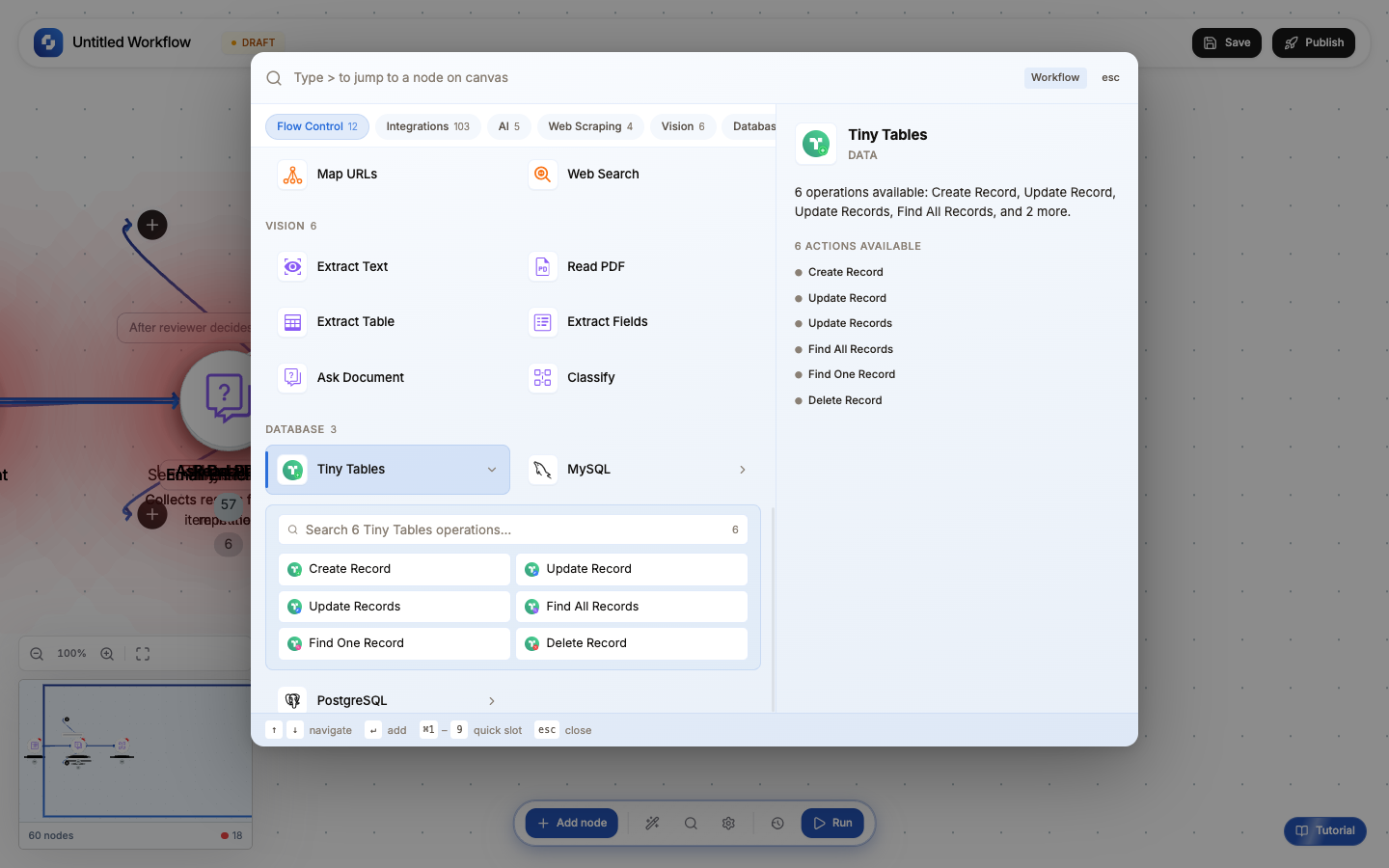
TinyTable (Sheet) nodes let you interact with TinyCommand's built-in spreadsheet-database directly from workflows. No external database setup required.
Available operations
| Node | Type | Color | What it does |
|---|---|---|---|
| Create Record | CREATE_SHEET_RECORD_V2 | Green | Add a new row |
| Update One | UPDATE_ONE_SHEET_RECORD | Blue | Update a single matching row |
| Update Records | UPDATE_SHEET_RECORD_V2 | Blue | Update multiple matching rows |
| Find One Row | FIND_ONE_SHEET_RECORD_V2 | Purple | Get the first matching row |
| Find All Rows | FIND_ALL_SHEET_RECORD_V2 | Purple | Get all matching rows |
| Delete Row | DELETE_SHEET_RECORD | Red | Remove matching rows |
All operations require selecting a sheet and table from your workspace.
Configuration (shared across all)
| Field | Required | Description |
|---|---|---|
| Sheet | Yes | Which TinyTable sheet to use |
| Table | Yes | Which table within the sheet |
| Fields/Conditions | Varies | Column mappings or filter conditions |
Create Record
Map each column to a value using FX formulas:
name = {{trigger.body.name}}
email = {{trigger.body.email}}
created_at = {{now}}
Templates: Save Lead, Log Event, Store Result
Find Rows
Filter rows by conditions, similar to a spreadsheet filter.
Find One: returns the first match. Find All: returns all matches as an array (use with For Each to process each row).
Update and Delete
Both require conditions to identify which rows to modify. Similar to a WHERE clause: match by column values.
When to use TinyTable vs Database
| Use TinyTable when | Use Database when |
|---|---|
| Quick data storage without setup | Complex queries with JOINs |
| Team collaboration on data | Large datasets (100K+ rows) |
| Non-technical users need to view/edit | Custom schema with constraints |
| Prototyping before a real database | Production workloads |
TinyTable is perfect for MVPs and internal tools. When you outgrow it, migrate to a PostgreSQL or MySQL database using the Database nodes; the workflow logic stays the same.