Collect the answer.
Then do the next thing.
Most forms just hand you a row to deal with later. TinyForms does the work for you. It asks the right next question, looks people up, takes payment, and saves every answer to a database you own, then sends the follow-up. Nothing extra to wire together.
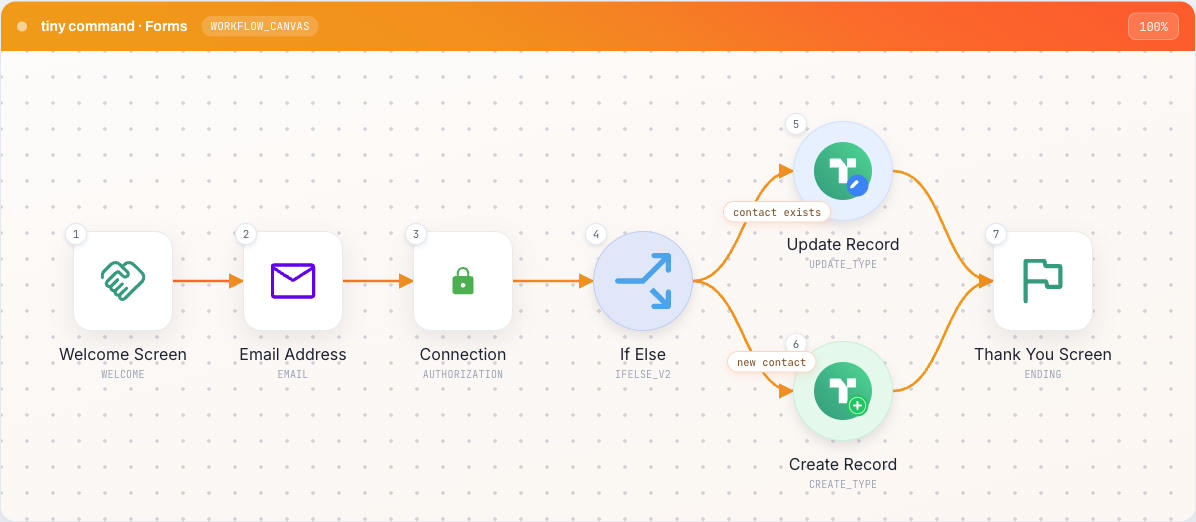
Thirty-plus ways to ask a question.
Short answers and choices, ratings and dates, e-signatures, file uploads, even live payment. The kinds of questions a real business form needs, not just a survey.
 Short answer
 Multiple choice
 Email
Email Phone
Phone Address
 Date
Date E-signature
 File upload
 Rating
 Opinion scale
 Ranking
 Matrix grid
 Data table
 Repeating section
 Calculated field
 Currency
 Picture choice
 Search & select
 Terms & consent
 Slider
 PDF viewer
 Payment
 Authorize
One form, four ways to fill it in.
Build the form once and let people answer the way that fits. Same questions, same answers, no rebuilding.

One question at a time, with a little motion. The friendly way to keep people going.
Every question on one page. Quick for longer forms your team fills in often.
Feels like a message thread. One question, one reply, all the way through.
People just talk, in their own words, and you still get the same tidy answers a form would give.
It works while they are still answering.
Most forms start working after submit. This one starts the moment they type their first answer. By the time they finish, it is already done.
Show or skip questions based on what someone just answered, so everyone only sees what matters to them.
Find details about a person or company between questions, then use what you learn later in the same form.
Score, price, and total things up from earlier answers, the way a spreadsheet would, with no formulas to manage.
Save a record, take a payment, kick off the next step. The form does it, you do not have to.
Get paid right in the form. Stripe, Razorpay, UPI.
Add a payment question and your form is also a checkout. Connect Stripe or Razorpay, and people can pay without ever leaving the form. The amount can even be worked out from their earlier answers.


Stripe handles cards around the world. Razorpay adds UPI, netbanking and wallets across India and many emerging markets.
The price can come straight from what someone picked, so a quantity or a quiz score sets the amount automatically.
Payment clears before the form continues. Stripe and Razorpay handle the security.
Every answer lands in a database you own.
Answers go straight into your own TinyTable, ready to use right away, not stuck in a spreadsheet you have to export and clean up later. From there an email can go out or an agent can take it from here.
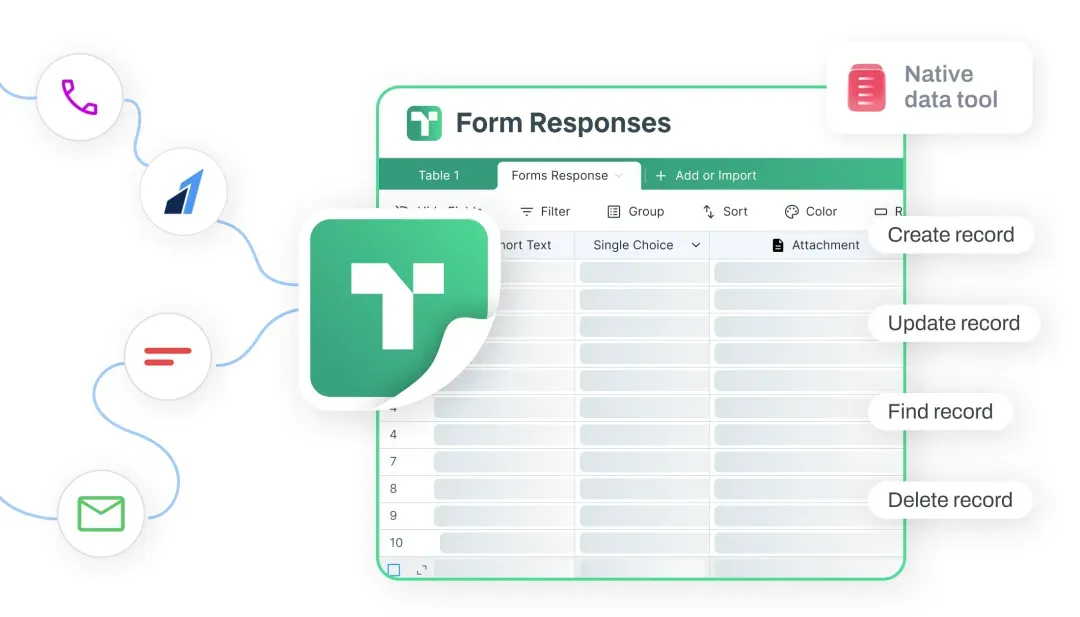

A real, organized record that is yours to keep. Add, find or update it as the form runs.
Fire off the confirmation or the follow-up, right from the same place.
Sort it, qualify it, or reply. The agent picks up where the form leaves off.
See exactly where people drop off.
The form keeps track for you. How many finish, how long each question takes, and the exact spot where people give up. It is built in, so there is no separate analytics tool to set up.
Completion by question
A hundred themes, or your own.
Start with a hundred ready-made looks, or build your own. Add a layout that puts your image right beside the questions. Your logo, your colors, your web address.
How it compares to the tools you know.
Everyone here makes a good form. The difference is what happens after someone answers. Here is an honest look.
| TinyForms | Typeform | Tally | Jotform | Fillout | |
|---|---|---|---|---|---|
| The form and the follow-up steps in one place | ✓ | add-on | limited | add-on | add-on |
| A database you actually own | ✓ | synced out | synced out | separate app | varies by plan |
| Take payment with Stripe, Razorpay and UPI | ✓ | Stripe | Stripe | many gateways | Stripe |
| Card, Classic and Chat ways to answer | ✓ | card | card & classic | card & classic | card & classic |
| Look up, decide and charge while they answer | ✓ | limited | limited | limited | limited |
| See where people drop off, built in | ✓ | paid | basic | basic | ✓ |
| Sends email, then hands off to an agent that acts on the answer | ✓ | email only | email only | email + AI add-on | email only |
If you just need a few questions in your inbox, plenty of free tools do that well. But if you want a form that decides, takes payment, saves the answer, and follows up on its own, that is exactly what we built.
Good to know.
Do I need other tools to make it do anything? +
No. The form, the database, the email and the agent are all part of TinyCommand and work together out of the box, so you are not paying for or stitching together a pile of separate apps just to get from answer to action.
Where does my data live? +
In your own TinyTables. Every answer becomes a record you own, ready to use right away. It is yours to keep, not parked in someone else's tool that you rent month to month.
Can I collect payments in my country? +
Yes. Stripe handles cards around the world, and Razorpay adds UPI, netbanking and wallets across India and many emerging markets. The amount can be worked out from earlier answers.
How many question types are there? +
Thirty-plus in all, from short answers and choices to e-signatures, ratings, file uploads, dates and live payment. Built for the forms a real business runs on, not just surveys.
What is the AI way to answer? +
People answer in their own words, like a conversation, and you still get the same tidy, organized answers a normal form would give. It is in active development. The Card, Chat and Classic ways to answer are live today.
Is there a free plan? +
Yes. Build and publish a form for free and start collecting right away. You will be up and running in under a minute.
Someone fills in your form, and the rest takes care of itself.
No wiring to build between tools. Each step picks up where the last one left off.
 01TinyForms
Someone fills in your form
new response 02TinyTables
It saves as a row and fills in the rest
saved and enriched 03TinyWorkflows
Your workflow emails them the moment they submit
email sent
All it takes is a TinyCommand.
11 products. One system. One place everything lands.
Build a form that does the work.
Ask, decide, take payment, save the answer, and follow up, all in one place. Free to start.