Delay
The Delay node pauses workflow execution for a specified duration. Use it to add timing between steps: rate limiting, waiting for external processes, or spacing out notifications.
Type: Delay / DELAY_V2
Color: Amber (#F59E0B)
Credits: 1 each time the step runs
Test module: No
Configuration
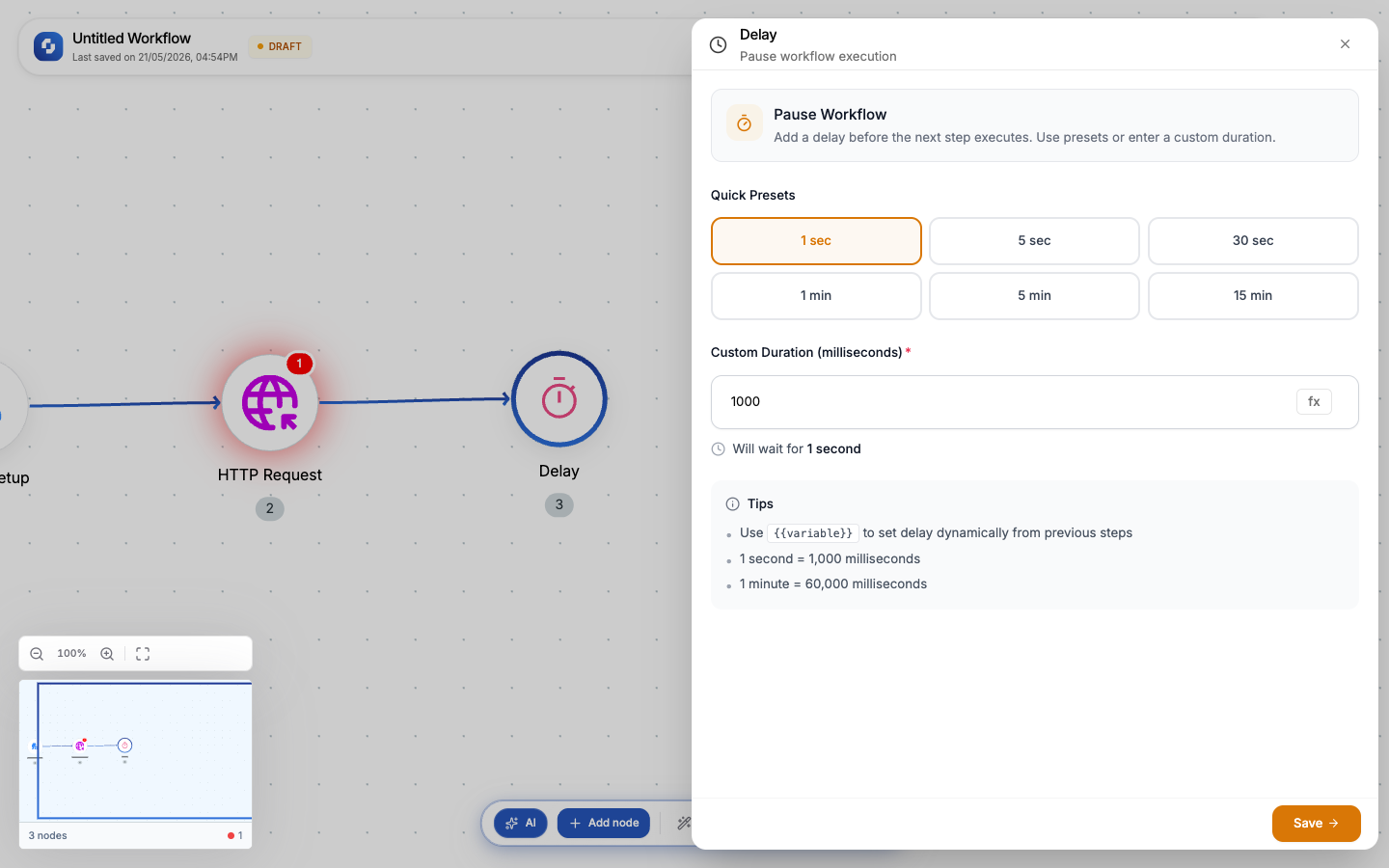
| Field | Type | Required | Description |
|---|---|---|---|
| Delay time | FX formula (milliseconds) | Yes | How long to pause. Must be a positive number. Default: 1000ms (1 second). |
| Name | Text | No | Display name for the node |
The delay time is specified in milliseconds:
- 1 second = 1000
- 30 seconds = 30000
- 1 minute = 60000
- 5 minutes = 300000
- 1 hour = 3600000
Since the value is an FX formula, you can use variables:
{{trigger.body.delay_seconds}} * 1000
Common patterns
Rate limiting API calls
For Each → HTTP Request → Delay (1000ms) → next iteration
Adds a 1-second pause between API calls to avoid hitting rate limits.
Spaced notifications
Send Email → Delay (300000) → Send Slack message
Wait 5 minutes between email and Slack notification.
Output
The Delay node produces no output; it's a pass-through. Data from previous nodes flows unchanged to the next node after the pause.
Long delays (hours) in regular workflows consume execution time. For delays longer than a few minutes, consider using Sequences instead; they can pause for days without consuming resources.
Use Delay inside a For Each loop to space out batch operations. This is the simplest way to respect API rate limits.