For Each
The For Each node loops over an array and runs downstream actions once for each item. Use it when you need to process a list of items: rows, contacts, orders, messages.
How it works
- A previous node outputs an array (e.g., a list of spreadsheet rows)
- The For Each node iterates over each item in the array
- For each item, all downstream nodes inside the loop execute
- After all items are processed, the workflow continues past the loop
Configuration
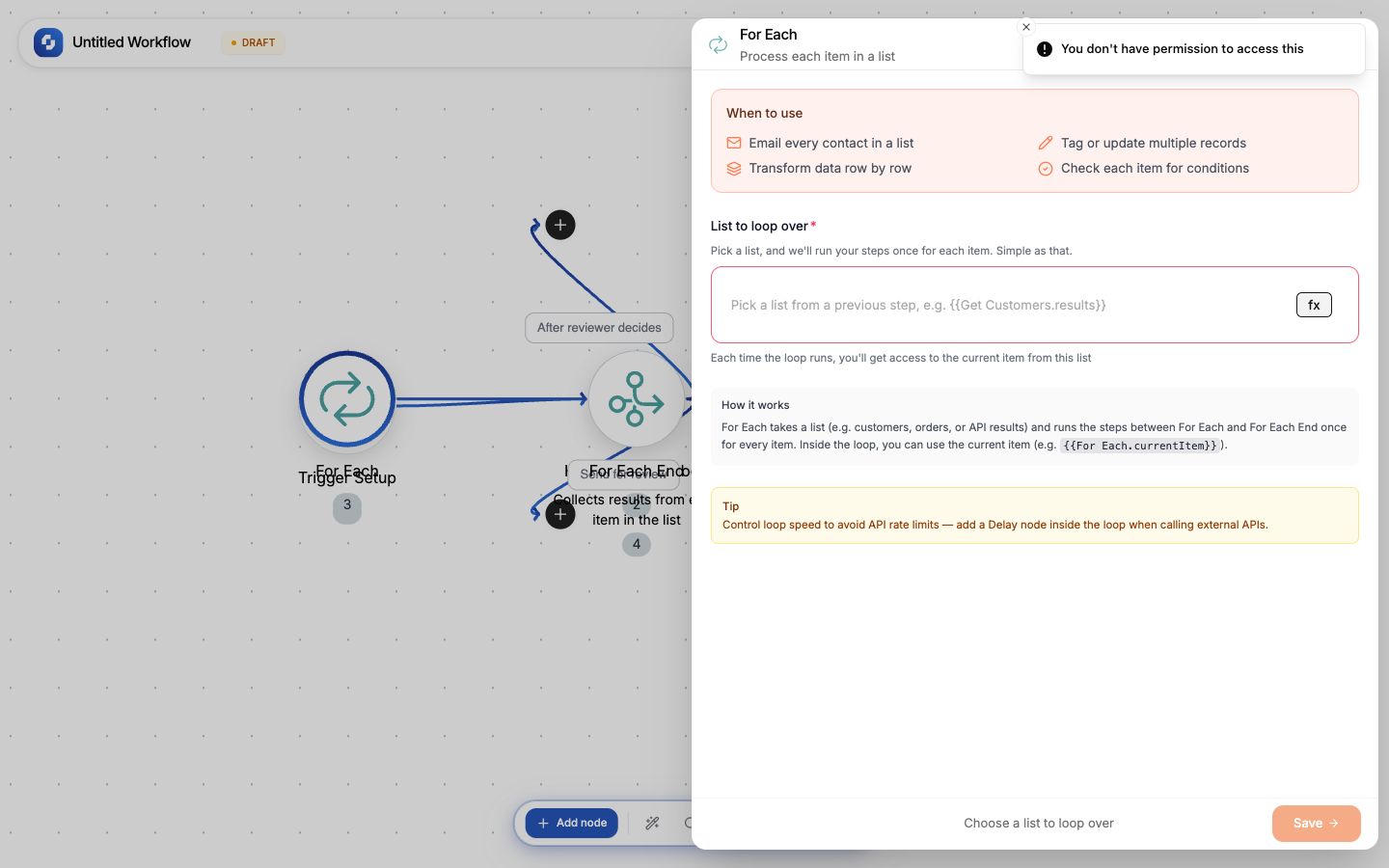
| Field | Description |
|---|---|
| Array | The variable containing the array to loop over (e.g., {{sheets.rows}}) |
| Current item variable | How to reference the current item in the loop (default: {{item}}) |
| Concurrency | How many items to process in parallel (default: 1 = sequential) |
Example: Send personalized emails
Given a Google Sheets trigger that returns rows:
- Add a For Each node
- Set the array to
{{sheets.rows}} - Inside the loop, add a Gmail → Send Email step (the built-in Send Email to Yourself node only emails your own account)
- Use
{{item.email}}for the recipient,{{item.name}}for personalization
To: {{item.email}}
Subject: Hi {{item.name}}, your invoice is ready
Body: Your total is ${{item.amount}}
Working with the current item
Inside the loop, reference the current item with {{item}}:
| Variable | What it gives you |
|---|---|
{{item}} | The entire current item |
{{item.name}} | A specific field |
{{item._index}} | The current iteration index (0-based) |
{{item._total}} | Total number of items in the array |
Controlling the loop
- Skip node: skip the current item and move to the next
- Stop Loop node: exit the loop early (remaining items are skipped)
Tip
Set concurrency > 1 to process items in parallel. This is faster but be careful with API rate limits; most APIs allow 5-10 requests per second.
Warning
If your array has thousands of items, the workflow will take a long time to complete. Consider batching large arrays or using the concurrency setting to speed things up.