Email Enrichment
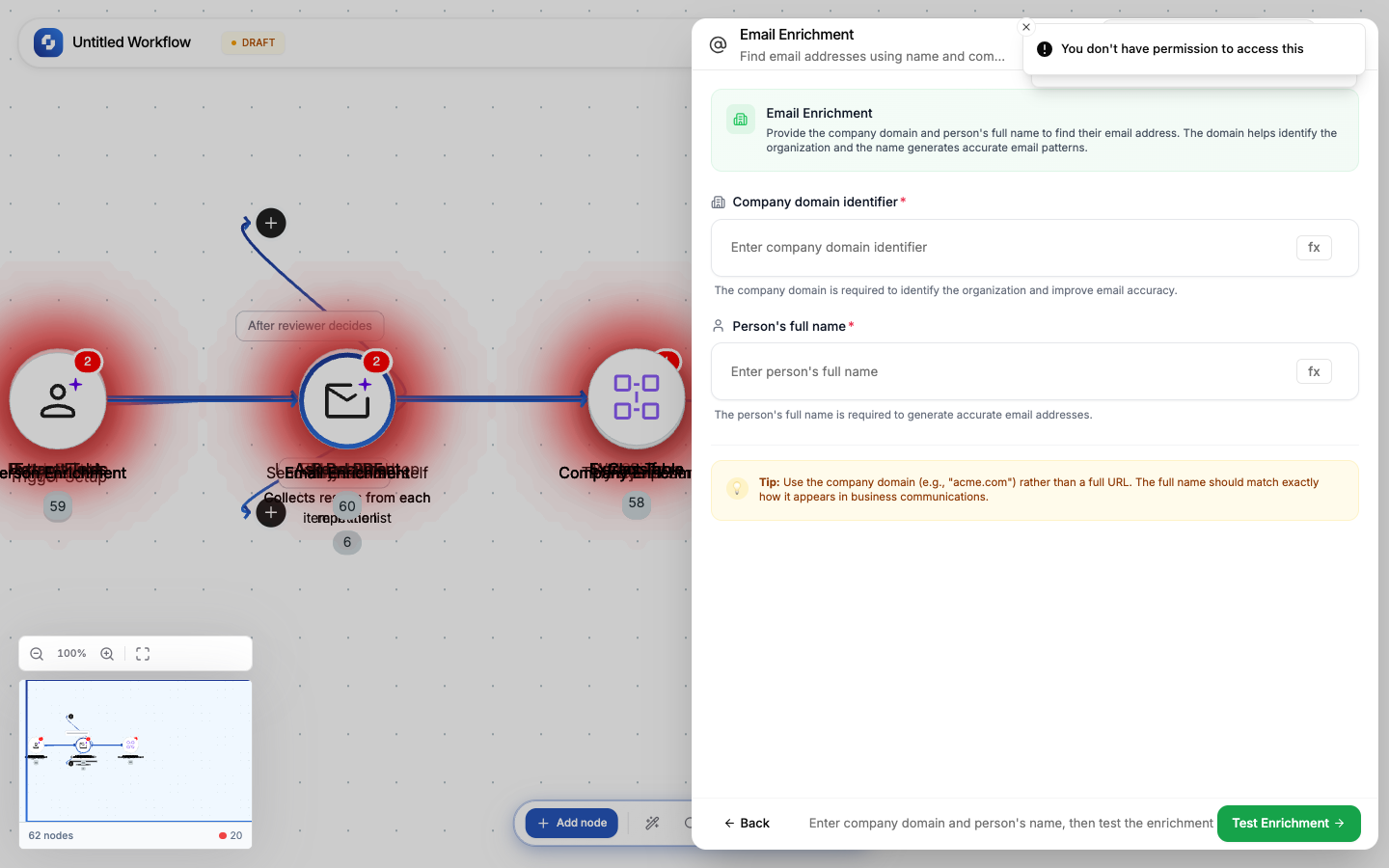
Find a person's business email address using their full name and company domain. Useful for outreach when you know WHO to contact but not their email.
Type: EMAIL_ENRICHMENT
Color: Green (#22C55E)
Credits: 10 per lookup
Configure fields
| Field | Type | Required | Description |
|---|---|---|---|
| Domain | FX formula | Yes | Company website domain |
| Full name | FX formula | Yes | Person's full name |
Output
| Variable | Description |
|---|---|
{{email_enrich.email}} | Best-guess business email |
{{email_enrich.confidence}} | Confidence score |
How it works
The enrichment engine:
- Analyzes the company's email pattern (first.last@, f.last@, etc.)
- Checks against known email databases
- Verifies deliverability
- Returns the most likely email with confidence score
Common patterns
Outreach preparation
TinyTable (prospect list: name + company) → For Each →
  Email Enrichment → Update Row (add email column) → Delay (2s)
Research then reach
Tiny Scout (research company) → Person Enrichment (find key contact) →
  Email Enrichment (get their email) → GPT Writer (draft outreach) → HITL (review) → Send Email
Warning
Email enrichment finds the most LIKELY email, not guaranteed correct. Confidence scores below 0.7 should be verified before using for cold outreach.
Error handling
If this node fails during execution:
- The execution stops at this node (unless Continue on error is enabled)
- The error appears in the Execution History with the full error message
- Downstream nodes don't execute
To handle errors gracefully:
- Enable Continue on error in the node settings
- Add an If-Else node after to check if the operation succeeded
- Route failures to a notification (Send Email, Send Slack)
Debugging
- Check the Execution History for the failed run
- Click the failed node to see its input and error
- Verify the input data is correct (check previous node outputs)
- Test with sample data using the Test tab