Company Enrichment
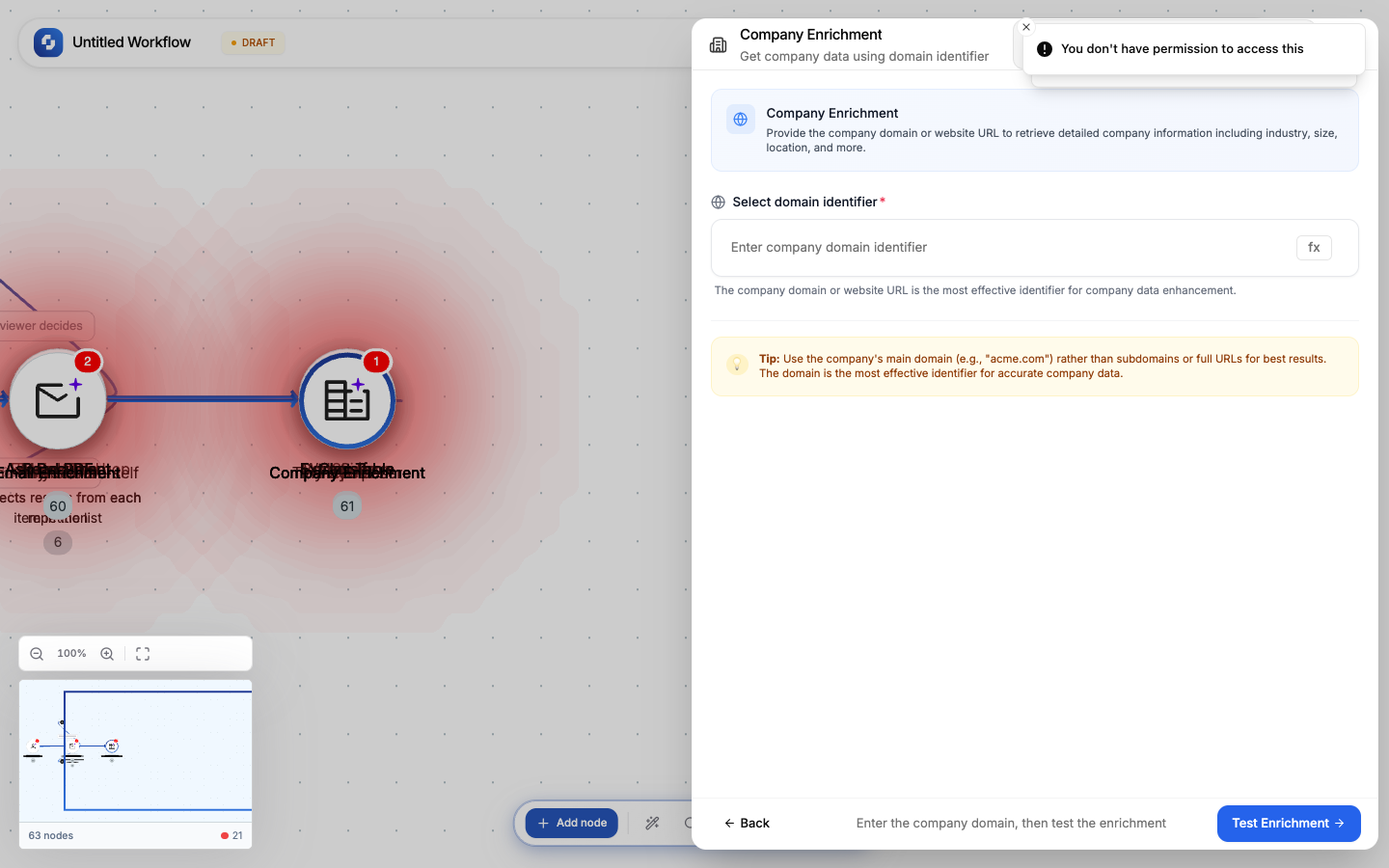
Look up company information using just a website domain. Returns company name, industry, size, location, and description.
Type: COMPANY_ENRICHMENT
Color: Blue (#3B82F6)
Credits: 10 per lookup
Configure fields
| Field | Type | Required | Description |
|---|---|---|---|
| Domain | FX formula | Yes | Company website (e.g., "stripe.com", "hubspot.com") |
Output
| Variable | Description |
|---|---|
{{company.name}} | Company legal name |
{{company.industry}} | Industry classification |
{{company.size}} | Employee count range |
{{company.location}} | Headquarters location |
{{company.description}} | Company description |
{{company.founded}} | Year founded |
{{company.website}} | Primary website URL |
Common patterns
Enrich CRM
New HubSpot Contact → Extract domain from email → Company Enrichment → Update Contact (add company fields)
Lead scoring
Form Submission → Company Enrichment → TinyGPT (score based on size + industry) →
  If-Else (score > 70) → Route to sales / Route to nurture
Tip
Extract the domain from an email address using Transformer: {{email}}.split("@")[1] gives you the domain for enrichment.
Error handling
If this node fails during execution:
- The execution stops at this node (unless Continue on error is enabled)
- The error appears in the Execution History with the full error message
- Downstream nodes don't execute
To handle errors gracefully:
- Enable Continue on error in the node settings
- Add an If-Else node after to check if the operation succeeded
- Route failures to a notification (Send Email, Send Slack)
Debugging
- Check the Execution History for the failed run
- Click the failed node to see its input and error
- Verify the input data is correct (check previous node outputs)
- Test with sample data using the Test tab