Custom Tools
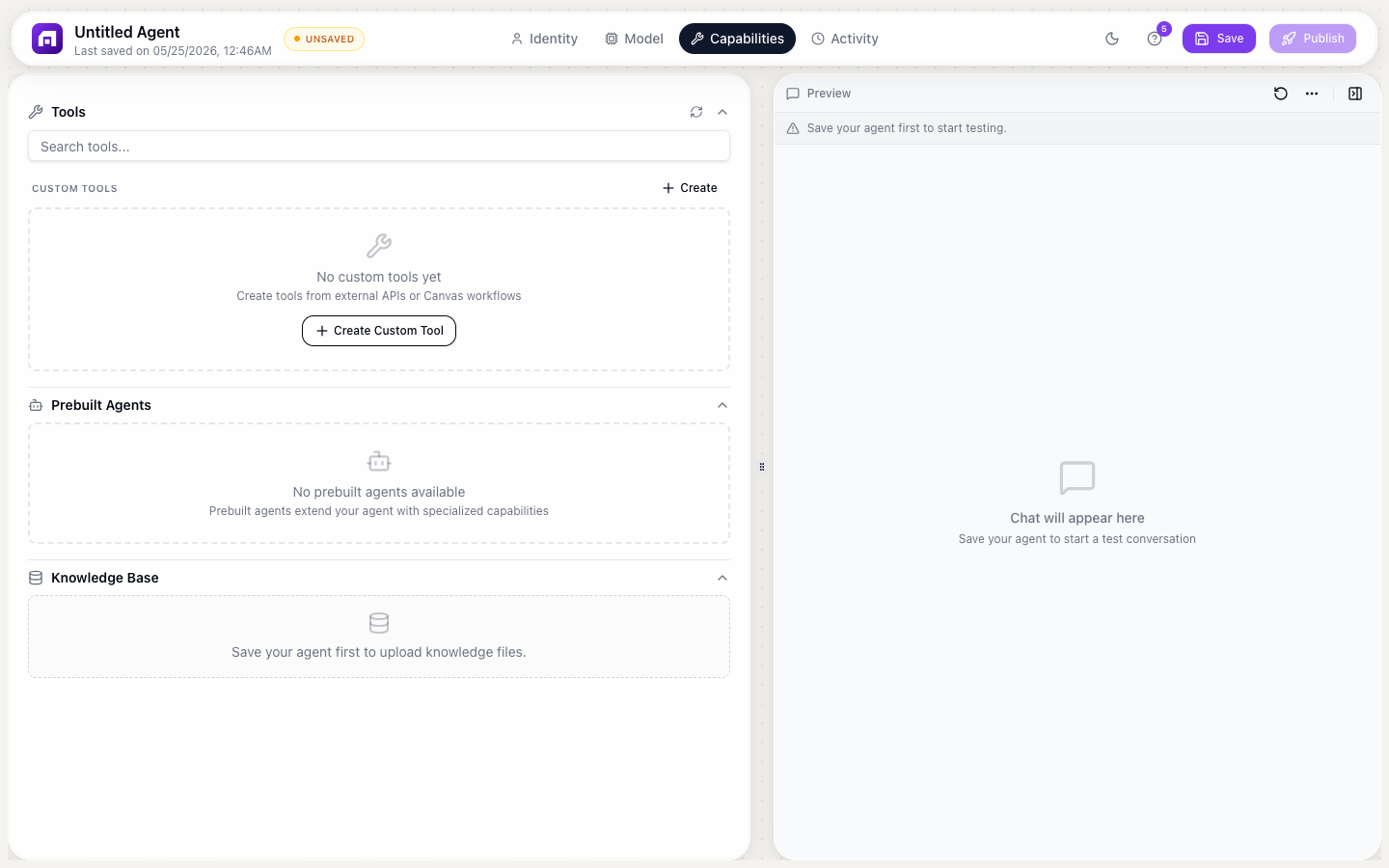
Custom tools let your agent DO things, not just talk. Connect external APIs or TinyWorkflow automations as tools the agent can call during conversations.
Why tools matter
Without tools, an agent can only generate text. With tools, it can:
- Create CRM records
- Send emails
- Update databases
- Call external APIs
- Trigger automations
- Look up data
API Tools
Connect any REST API as a tool:
Setting up
- Capabilities tab → Custom Tools → + Add tool
- Choose API as the source
- Configure:
| Field | Description |
|---|---|
| Name | What to call this tool (e.g., "Create JIRA Ticket") |
| Description | What it does; the AI reads this to decide WHEN to use the tool |
| Endpoint | The API URL |
| Method | GET, POST, PUT, DELETE |
| Headers | Authentication and content-type headers |
| Input parameters | What data the tool needs (the AI fills these from conversation context) |
| Output mapping | How to interpret the API response |
Description is critical
The tool description tells the AI WHEN to use it. Be specific:
Bad: "Create ticket" Good: "Create a JIRA ticket when the user reports a bug or requests a feature. Requires: title, description, priority (low/medium/high), and optionally assigns to a team member."
Workflow Tools
Connect a TinyWorkflow as a tool:
Setting up
- Create a TinyWorkflow with:
- A Manual trigger (with defined input parameters)
- Actions that do the work
- Output that returns a result
- In Agent Studio → Capabilities → Custom Tools → + Add tool
- Choose Workflow as the source
- Select the workflow
- The input parameters and description auto-populate from the workflow
Example: CRM Lookup Tool
Workflow:
Manual Trigger (input: email) → Find One Record (WHERE email = {{email}}) → Return result
When the user says "Look up john@acme.com", the agent calls this workflow and gets the CRM record.
Example: Send Email Tool
Workflow:
Manual Trigger (input: to, subject, body) → Gmail: Send Email → Return confirmation
When the user says "Send a follow-up to jane@company.com", the agent calls this workflow.
How the agent decides to use tools
The AI reads each tool's name and description to decide:
- Is this tool relevant to what the user is asking?
- What parameters does it need?
- Can I extract those parameters from the conversation?
If all conditions are met, the agent calls the tool, waits for the result, and incorporates it into the response.
Tools execute REAL actions: they send real emails, create real records, call real APIs. Make sure your tool descriptions include guardrails like "only use when the user explicitly requests this action."
Start with 2-3 simple tools (lookup, create, send). Add more as you discover what users actually need. Too many tools confuse the AI; it has trouble choosing the right one when there are 20+ options.