CRM for Small Business (2026): A Table With Opinions, Not a Tax
TL;DR: A small-business CRM has four real jobs: keep every contact in one place, show the pipeline at a glance, nudge the right follow-up on the right day, and stop data from rotting. None of those four requires a platform priced per seat. Below: what a CRM actually is once you remove the branding, the build that covers the four jobs on a flat $49 stack, the worked cost math against HubSpot and per-seat tools, and the honest cases where a dedicated CRM still wins.
What a CRM is, with the branding removed
Strip the category language and a CRM is a database with opinions: a Companies table, a Contacts table linked to it, a Deals table with stages, and rules about what happens when things change. The vendors are not selling the tables. They are selling the opinions (pipeline views, reminders, reports) and charging per person who looks at them. That framing matters because the opinions are now buildable, and the per-looker pricing is the part small teams feel first.
The four jobs, and the build that covers them
Job one: one source of truth. Companies and contacts as linked tables in TinyTables, with enrichment filling size, industry, and socials from a domain so nobody types what the internet already knows. The spreadsheet failure mode (the same customer spelled four ways) is exactly what linked records exist to end; the longer version of that argument is in our no-code database explainer.
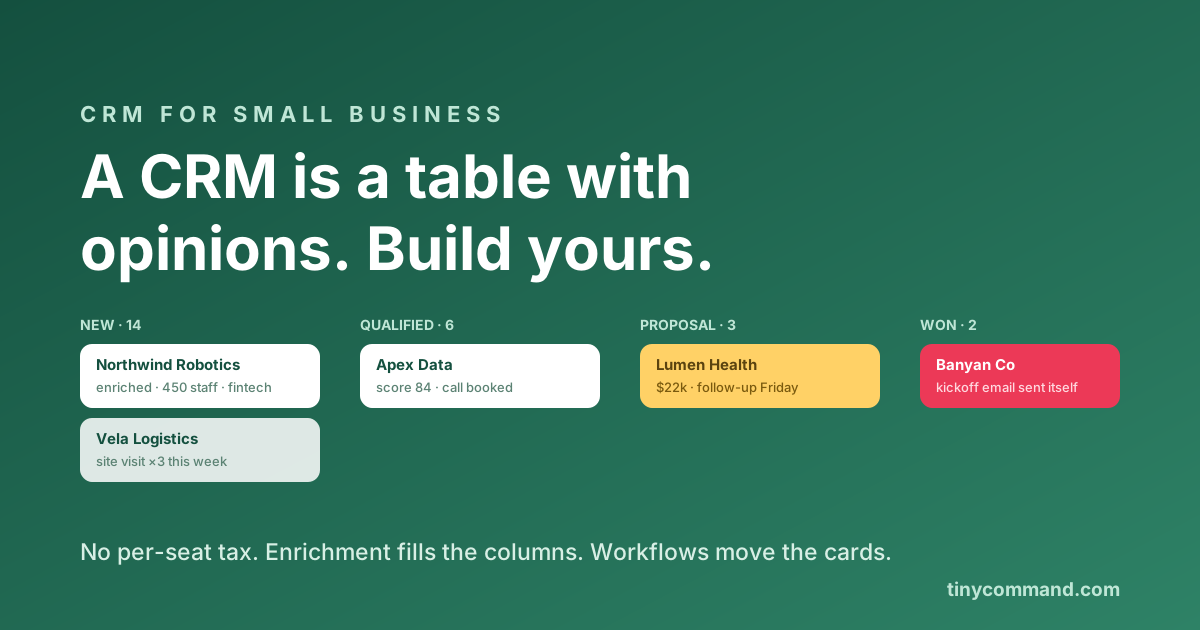
Job two: the pipeline view. A Deals table with a stage column becomes a kanban board in one click. Cards carry the enriched context, and the board is the Monday-morning meeting.
Job three: the nudges. This is where spreadsheets die and CRMs earn their keep, and it is workflow logic: deal untouched for 7 days pings the owner, stage moves to Proposal alerts the owner to follow up, closed-won fires the kickoff email. TinyWorkflows runs those rules on the same canvas the tables live on. Add a scoring step and new leads sort themselves before anyone reads them.
Job four: data that stays clean. Intake through forms instead of free-typing, enrichment on a schedule, and dedupe rules in the workflow. Hygiene as automation, not as a quarterly guilt project.
The cost math, worked
| Setup, 6-person team | Monthly | Yearly |
|---|---|---|
| HubSpot Starter (6 × $15) + automation gaps | $90 | $1,080 |
| HubSpot Marketing Professional | $890 + onboarding | $13,680 year one |
| Per-seat CRM at $24 × 6 | $144 | $1,728 |
| Tiny Command, whole stack, flat | $49 | $588 |
The full teardown of the first two rows lives in our HubSpot pricing piece; the per-seat dynamics rhyme with Airtable's. The flat row includes the forms, workflows, agents, and email the others charge around, which is the actual reason the math holds; details on the pricing page.
When a dedicated CRM honestly wins
Three cases. A real sales team running call queues and forecast reviews wants Pipedrive-grade or HubSpot-grade tooling built for managers. Deep ecosystem lock (your dialer, your support desk, your attribution all speak HubSpot) is worth respecting. And past roughly twenty sellers, dedicated CRM reporting stops being a luxury. Below those thresholds, the table-with-opinions build covers the four jobs without renting seats; you can also run the hybrid from the HubSpot piece, keeping a free CRM as the system of record with automation around it.
Small business CRM FAQ
What is the best CRM for a small business?
The one that holds contacts in one place, shows a pipeline, and nudges follow-ups without per-seat pricing you will resent at hire number seven. For teams under twenty people, a linked-table build with workflow reminders covers the real jobs; dedicated CRMs earn their cost at sales-team scale.
Can I really use a database as a CRM?
Yes, if it has linked records, views, and automation. Companies, contacts, and deals as linked tables plus workflow nudges is functionally a CRM; what you give up is built-in sales reporting, which small pipelines rarely miss.
How much should a small business spend on a CRM?
Under $100 a month all-in is realistic. Watch the two multipliers: per-seat pricing (every hire raises the bill) and automation gates (the useful nudges hiding two tiers up). Flat-rate stacks avoid both.
How do I keep CRM data clean without a data person?
Capture through forms rather than free-typing, enrich from domains automatically, and let a workflow flag duplicates and stale records. Hygiene that depends on discipline fails; hygiene that runs as automation does not.