The database that finds and
fills in your leads for you.
Give TinyTables a domain and it returns the company's details. Give it a name and a company and it finds a verified work email and phone. Have nothing at all? Describe who you are looking for and it builds the list from scratch, then drops the rows straight into a table. Enrichment runs as a column, so every row fills itself in, and if one source comes up empty, it quietly tries the next.
Look it up without leaving the grid.
Paste a list of companies and get their size, industry and details. Paste a list of people and get their work email and phone. You add the column once and it keeps every row current. Each work email is found and verified with a confidence score, so you know it is real and not a guess.
If one source comes up empty, it tries the next.
Most tools ask one source and hand you a blank if it misses. TinyTables keeps trying across several sources, so the cell almost never comes back empty. And if a source is having a bad day, it quietly steps around it and checks back later, instead of letting one outage blank out your work.
A source that keeps failing gets set aside and retried after a short cooldown, so your lookups stay fast and the cell still fills in. Email checks work the same way, across three independent ways to verify an address, and only stop early when one says for sure it would bounce.
Find the leads in the first place.
You do not have to import a list. You can build one. Describe your ideal customer and where they are, for example marketing agencies in three cities with good reviews, and TinyTables fans your description into many searches, fills a live preview as it goes, and turns the results into a real table with one click.
| Agency | Services | City | Rating |
|---|---|---|---|
| Brightside Studio | Brand & web | Austin, TX | 4.9 |
| North Loop Creative | Performance marketing | Denver, CO | 4.8 |
| Evergreen Collective | Content & SEO | Portland, OR | 4.7 |
| Maple & Co. | Full service | Austin, TX | 4.6 |
It is fast in our own tests: about 100 businesses found in roughly 21 seconds before they become a table.
An AI column that does the typing.
Give it one plain instruction and it fills every row for you. Categorize, summarize, score or draft a one-line opener across the whole list, and it re-runs itself when the source cells change. Pick the tier that fits the job, from quick and light to careful and deep.
It all lands as rows in your own database.
The list you just found and enriched is not a CSV stuck in a separate tool. It is live rows in your own TinyTable, sitting right next to your normal columns. Your forms, workflows and agents can act on it the moment it lands. No second subscription, and nothing to keep in sync.
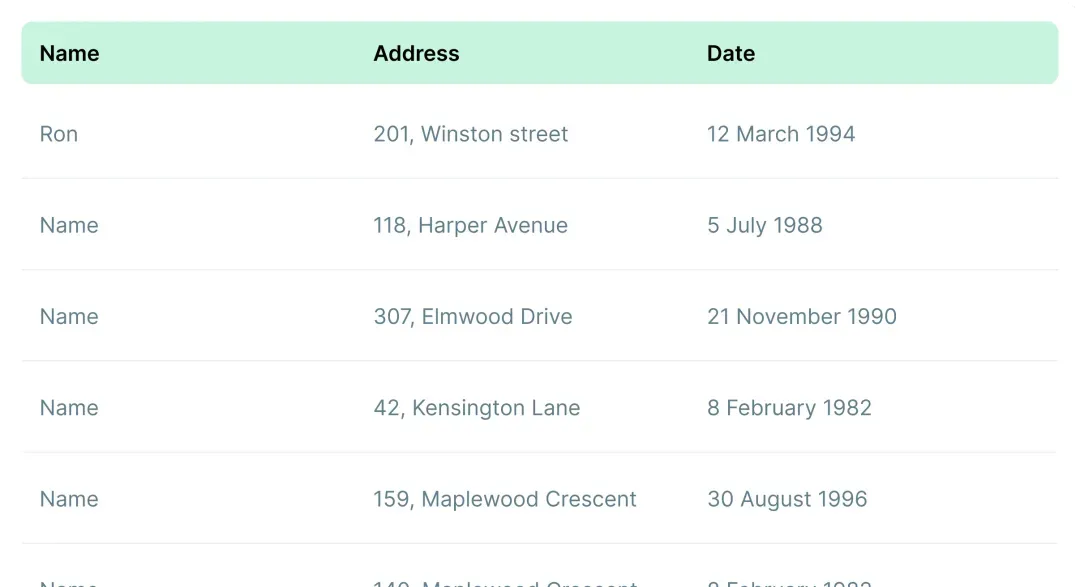
Found and enriched leads land as real rows you own, ready to use right away.
It lives alongside your normal columns, keeping every row current as you work.
A workflow can start the right follow-up and an agent can take it from there.
Where it fits next to the tools you know.
Standalone list-building tools go deep, and they earn their reputation. The difference here is that the finding, the enriching and the database are one product, so there is no second subscription and nothing to sync between them.
| TinyTables | Standalone enrichment tool | List-building tool | A spreadsheet | |
|---|---|---|---|---|
| Fills in a record from a domain or a name | ✓ | Yes | limited | No |
| Keeps trying across multiple sources | ✓ | some | No | No |
| Verified email with a confidence score | ✓ | Yes | basic | No |
| Builds a list from a description | ✓ | No | Yes | No |
| An AI column that fills every row | ✓ | add-on | limited | add-on |
| The results live in your own database | ✓ | No | No | on its own |
| Your forms, workflows and agents use it | ✓ | No | No | No |
If you want the deepest standalone list-building tool, the dedicated category goes very deep, and it is worth a look. If you want the finding, the enriching and the database to be one thing, so a clean list is ready to work the moment it lands, that is what we built.
Good to know.
What can it fill in for me? +
Three things you usually pay three separate tools for. Turn a domain into a company's size, industry and details. Turn a name and company into a verified work email and phone. And check that an email would actually deliver. It is all one column you add to your table.
What happens if a source has no answer? +
It keeps trying. A lookup runs through several sources in order, and if one comes up empty or is having a bad day it moves on to the next, so the cell almost never comes back blank. A source that keeps failing is set aside and retried after a short cooldown.
Can it find leads when I have none? +
Yes, that is the part people love. Describe who you want and where, and it can find businesses, people, influencers, funded startups, agencies, lookalike customers and competitors. You watch a live preview fill in, then turn it into a real table with one click.
How trustworthy is the email it finds? +
It does not guess. For a person at a company it works out the likely address, then checks the strongest options and returns the one that looks deliverable along with a confidence score, so you can see how sure it is.
What does the AI column cost? +
You pick a tier per column. TinyAI Nano is the quickest at 1 credit a cell, TinyAI Mini is the balanced default at 5, TinyAI Pro is more careful at 10, and TinyAI Max is the deepest at 20. With auto-update on, it only re-runs the rows whose sources actually changed.
Where does everything end up? +
As live rows in your own TinyTable, next to your normal columns. There is no export step and no separate tool to keep in sync, so your forms, workflows and agents can act on the list straight away.
Design one email and send it to your whole list.
No wiring to build between tools. Each step picks up where the last one left off.
 01TinyTables
Start with the list you keep, gaps filled in
enriched 02TinyEmails
AI builds the email, you refine it
designed 03TinyCampaigns
Sends it to the table, filled in for each person
opens and clicks reported
All it takes is a TinyCommand.
11 products. One system. One place everything lands.
Let your database find and fill in your leads.
Enrich what you have, find what you do not, and let it land where the rest of your work already lives. Free to start.