Contact Forms: A Reply-Speed Promise, Not a Mailbox (2026 Guide)
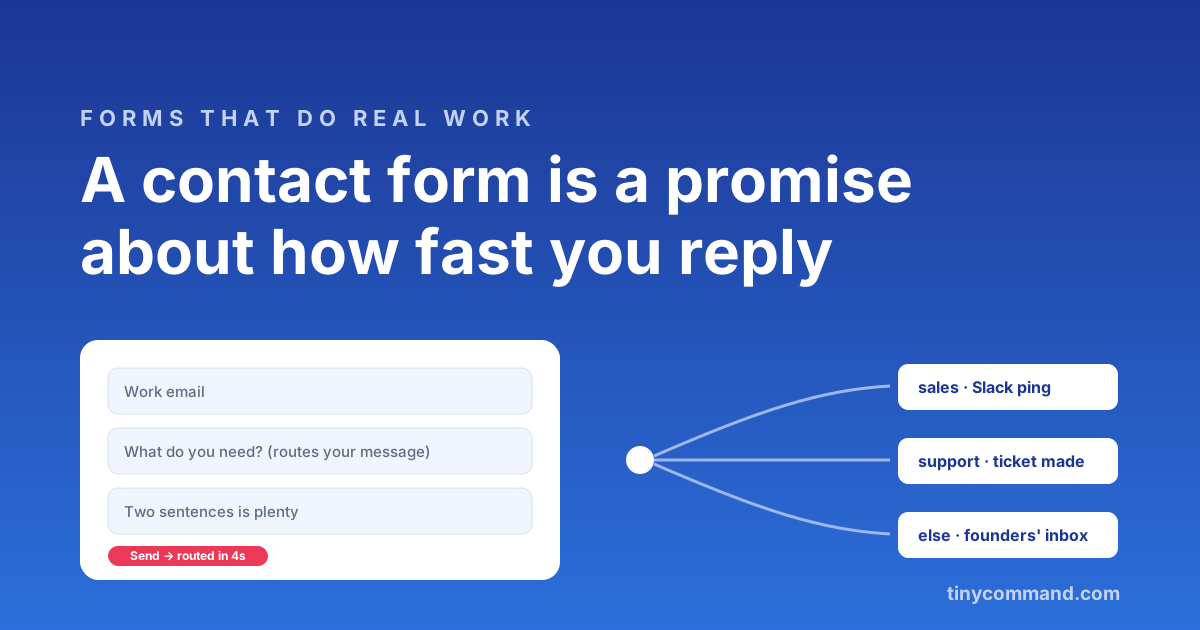
TL;DR: A contact form is a promise about how fast someone answers. Three fields are enough (email, topic, message), the topic field exists to route the message to the right person instantly, and an automatic acknowledgment with an honest reply time turns silence into trust. The form itself takes ten minutes to build; the routing behind it is what separates companies that reply in an hour from companies with a contact page.
Three fields, and why each earns its place
- Work email. The reply channel, validated as they type so typos do not orphan the conversation.
- What do you need? A dropdown: sales question, support issue, partnership, something else. This field is secretly the router; its options should map one-to-one to who answers.
- The message. One box, generous height, no minimum length. People who want to write three paragraphs will; people with one sentence should not be padded into friction.
Name is optional politeness (you can ask in the reply), phone scares people off, and company is something enrichment can fill from the email domain without asking. Every field you delete raises submissions; the classic finding across form studies is that shorter contact forms convert meaningfully better.
The routing is the product
The shared inbox is where contact form messages go to age. The fix is mechanical: the topic dropdown branches a workflow, sales pings the sales channel in Slack, support opens a ticket, partnerships lands with the founder, and each path gets its own acknowledgment email with a truthful reply window. Add one judgement step if volume is high: an AI step reads the message, flags urgency, and escalates the angry-customer one ahead of the newsletter pitch.
The acknowledgment beats the autoresponder
"We received your message" is filler. "Thanks, this went straight to our support team, who reply within four working hours" is a commitment, and commitments get remembered. Merge the topic into the acknowledgment so it reads like a human routed it; on a connected stack the email comes from the same canvas the form lives on, with the submission's details available as merge fields.
Spam, handled honestly
Honeypot fields and validation catch most of it quietly. If you operate somewhere spam-heavy, gate just the "something else" path behind a light check rather than punishing every legitimate sales lead with a puzzle. And resist the urge to solve spam with more required fields; that punishes humans more than bots.
Build it once, properly
The templates gallery has contact forms with routing pre-wired, and TinyForms collects unlimited messages on the free plan. If you are comparing builders first, the routing question (what happens after submit) is question four of our five-question test, and for contact forms it is the only question that matters.
Contact form FAQ
What fields should a contact form have?
Email, a topic dropdown, and a message box. The topic field routes the message to the right person; everything else is optional and usually better gathered in the reply or via enrichment.
How do I route contact form submissions to the right person?
Branch on the topic field with a workflow: sales to the sales channel, support to the ticket queue, partnerships to a named inbox. Each branch sends its own acknowledgment with an honest reply time.
How do I stop contact form spam without hurting conversions?
Use a hidden honeypot field and email validation first; both are invisible to humans. Add a visible challenge only on high-spam paths, not on the sales path where every false rejection is a lost lead.
Should a contact form send an auto-reply?
Yes, an acknowledgment with a specific commitment: who has the message and when they reply. It sets expectations, reduces duplicate submissions, and is the first impression of your support experience.