Best Online Form Builder in 2026: The Five-Question Test
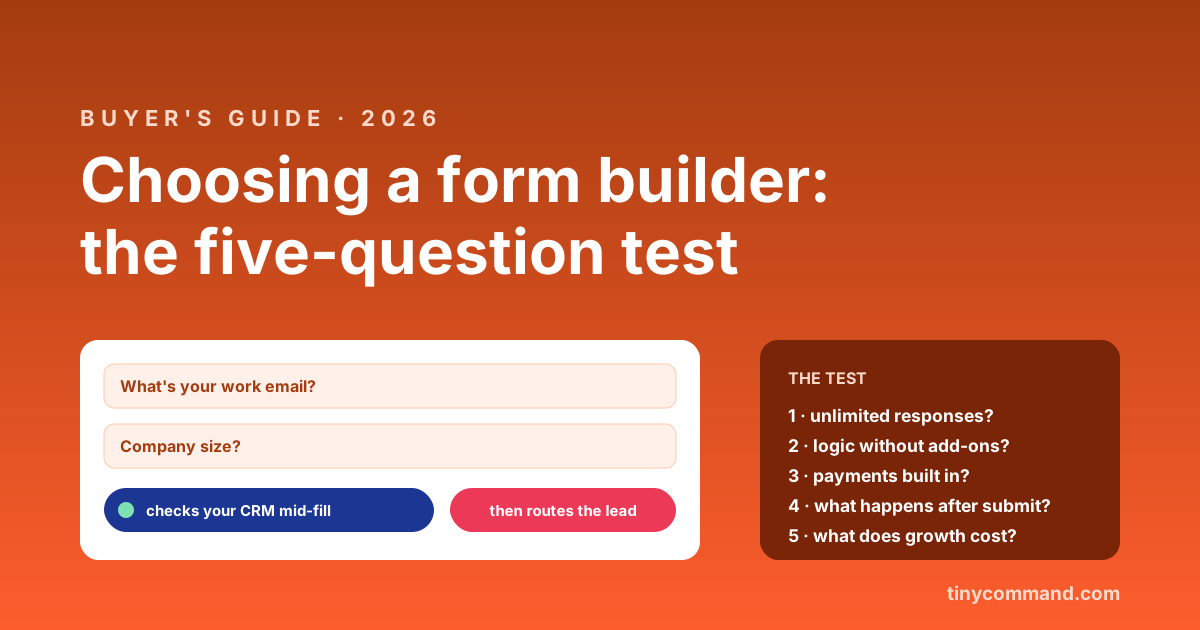
TL;DR: Most form builder roundups list 25 tools and help nobody. Five questions do the actual sorting: Are responses unlimited or metered? Is conditional logic included or paywalled? Can the form take payment natively? What happens to a submission after it lands? And what does the price do when you grow? Below, the test, then the honest shortlist: Google Forms for free simplicity, Typeform for brand polish, Jotform for template breadth, Tally for generous free limits, and Tiny Command when the form is the front door of a workflow.
Question 1: are responses unlimited?
This single question splits the market. Typeform meters responses by plan (100 on Basic, 1,000 on Plus) and closes the form at the cap; we walked the math in the Typeform pricing teardown. Google Forms and Tally are unlimited free. TinyForms is unlimited on every plan including free. If each response is a lead, a metered form is a tax on your best weeks.
Question 2: is logic included?
Conditional branching (show question 4 only if question 2 said yes) is the difference between a form and a questionnaire from 2009. Some builders gate it behind mid or top tiers; some include it everywhere. Check the plan table for the words branching, logic jumps, or conditional fields before you fall for a homepage demo.
Question 3: can it take money?
Registrations, bookings, paid applications, and deposits all want payment inside the form, not a link to a second tool. Native Stripe (and for Indian businesses, Razorpay and UPI) support beats redirect hacks every time. TinyForms takes payments on the free plan; several big names still treat payment fields as a premium unlock.
Question 4: what happens after submit?
The under-asked question, and the one that decides total cost. A form that only stores responses leaves you exporting CSVs or paying middleware to move data. The 2026 pattern worth demanding: submission lands in a real database, triggers a workflow, alerts the right person, and starts the follow-up email, without a Zapier bill on top. That loop is the entire design of TinyForms: the form, tables, workflows, and email share one canvas, and the form can even act mid-fill, checking your CRM or enriching a company while the person is still typing.
Question 5: what does growth cost?
Map your next year, not your first month. Per-response pricing grows with your conversion rate. Per-seat pricing grows with your team. Flat pricing grows with neither. None of these is wrong, but only one of them is a number you can predict in January.
The shortlist, honestly
| Tool | Pick it when | Watch out for |
|---|---|---|
| Google Forms | Internal, quick, free is the priority | Looks like 2014; no payments; weak logic |
| Typeform | Brand-sensitive surveys, the polish matters | Response caps; the form closes at the limit |
| Jotform | You want a template for literally anything | Submission limits per tier; busy interface |
| Tally | Generous free tier, clean and simple | Lighter on what happens after submit |
| Tiny Command | The form should kick off real work | Younger brand than the giants above |
Deeper one-on-one comparisons, with the cases where each rival wins, live at vs Typeform, vs Jotform, vs Google Forms, and vs Tally. For the survey-specific path, start with the customer feedback survey guide instead.
Form builder FAQ
What is the best free online form builder?
For pure simplicity, Google Forms. For generous limits with better design, Tally. For a free plan with unlimited responses plus payments and workflow automation included, TinyForms. "Best" follows which of the five questions matters most to you.
Which form builders have no response limits?
Google Forms, Tally, and TinyForms collect unlimited responses on free plans. Typeform and Jotform meter responses or submissions by tier, and Typeform stops collecting once a month's cap is hit.
Can online forms take payments without code?
Yes. Builders with native payment fields connect Stripe or similar in a few clicks and charge inside the form. TinyForms includes Stripe, Razorpay, and UPI on the free plan; on several competitors, payments unlock on paid tiers.
What should happen after someone submits a form?
The submission should go somewhere useful on its own: a database row, a notification, an enrichment step, a follow-up email. If your plan involves exporting CSVs every Friday, the builder is solving the easy half of the job.