Client Intake Forms That Do the First Meeting's Homework (2026)
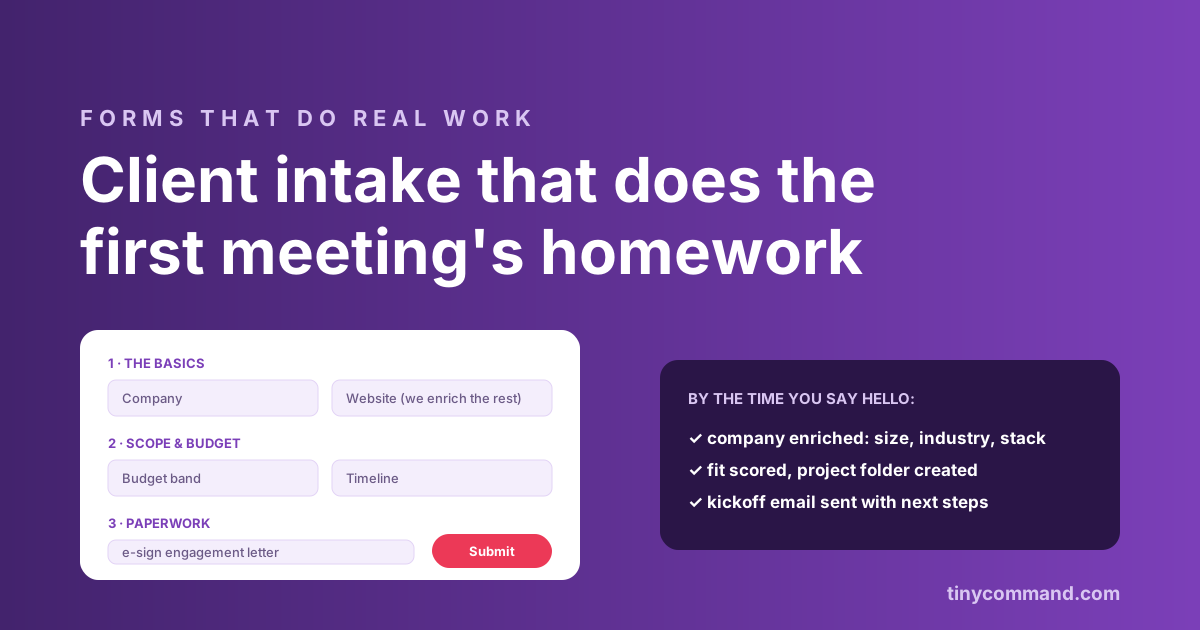
TL;DR: The intake form is the highest-leverage document in a services business. Done right, it qualifies the client (budget, timeline, scope), does its own research (enrichment fills company size, industry, and stack from the domain), and starts the engagement (folder created, kickoff email sent, contract queued) before anyone books a call. Three sections, ten minutes to complete, and the homework arrives done. Agencies, consultancies, and freelancers all run the same pattern; only the questions change.
Section one: the basics, minus the ones you can look up
Name, work email, company, website. Stop there. Headcount, industry, funding, and tech stack can all be enriched from the domain after submit, which shortens the form and quietly impresses the client when your kickoff email already knows their world. Asking questions the internet answers is how intake forms balloon to forty fields.
Section two: scope, budget, timeline, the qualifying trio
- What do you need? Multi-select of your actual service lines, not an essay box. It maps the request to your capacity.
- Budget band. Ranges, not blanks. "$5k to $10k" gets answered; "What is your budget?" gets dodged. The band is your single strongest qualifier.
- Timeline. "When does this need to be live?" exposes both urgency and realism in one field.
- The context box. One optional long-answer: "What should we know that we did not ask?" The best intake insight reliably arrives here.
Section three: the paperwork, inside the same form
Engagement letter via a signature field, a deposit via a payment field if your model takes one, and file upload for briefs or brand assets. Every one of these traditionally lives in a separate email thread, and every separate thread is a place momentum dies. A form that closes the loop in one sitting (details, signature, deposit) converts intent while it is hot; TinyForms includes signature, payment, and upload fields without add-ons.
The homework that does itself
The moment the form lands, the workflow should: enrich the company, score the fit against your ideal-client profile (an AI step with a one-line reason works well), create the client row and project folder, send a kickoff email tailored to their service line, and book the call for qualified fits while politely routing poor fits to resources. That last branch is the quiet money-saver: a respectful no in five minutes beats a discovery call you both regret. The contact-form routing pattern is the same machine with lower stakes.
Make it feel like a conversation
Three sections, one screen at a time, with branching so a branding client never sees your dev-retainer questions. The conversational mode in TinyForms exists for exactly this; intake completion rises when the form feels like being interviewed rather than audited. Pre-built versions live in the templates gallery.
Client intake form FAQ
What should a client intake form include?
Three sections: basics (name, email, company, website), qualification (services needed, budget band, timeline), and paperwork (signature, optional deposit, file upload). Ten minutes to complete, with enrichment filling the research fields automatically.
Should I ask for budget on an intake form?
Yes, as ranges. Budget bands get honest answers, qualify leads instantly, and save both sides a mismatched call. Pair the band with timeline and you have your two strongest routing signals.
Can an intake form collect signatures and deposits?
Yes. Signature fields handle the engagement letter and payment fields take the deposit inside the same form. Closing paperwork in one sitting measurably beats chasing it across email threads.
How do I automate what happens after intake?
A workflow enriches the company from its domain, scores fit, creates the client record and folder, sends a tailored kickoff email, and books the call for qualified fits. On Tiny Command this runs on one canvas with the form, included in the $49 flat plan.