Business Process Automation for Small Business: Kill the Back-Office Grind Without Developers
Business Process Automation for Small Business: Kill the Back-Office Grind Without Developers
TL;DR: Business process automation for small business means handing repetitive back-office work (invoice entry, follow-ups, onboarding, weekly reports) to software instead of a person. Start with one process that is high-frequency and rule-based, like AP/AR invoice processing or lead handoff. You do not need developers. A no-code platform like TinyCommand runs flows like these starting at $19/month, versus the $3,500 to $25,000 custom builds quoted to most owners.
A small UK firm went from 3 to 12 staff and the owner spent every Friday chasing timesheets, checking holiday balances, and copying numbers between spreadsheets. That story showed up on r/BusinessBritain almost word for word. It is the most honest description of business process automation I have read all year, because it starts where automation actually starts: with one person quietly drowning in admin that nobody designed.
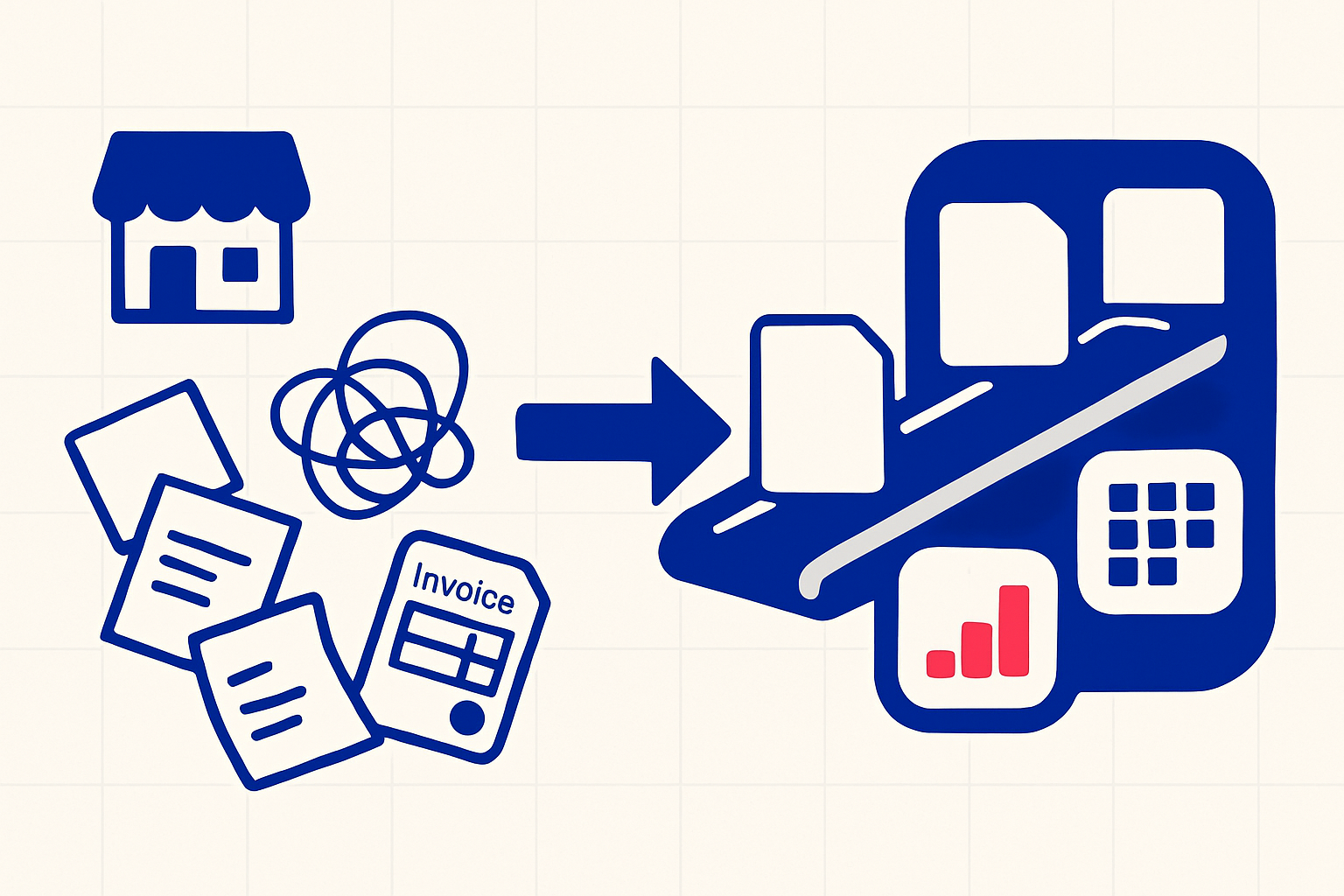
Business process automation is software doing the repeatable steps a human keeps redoing by hand. Invoice entry. The "did you get my proposal" email. Moving a new hire through folders, accounts, and a calendar invite.
Here is the part the vendor pitches skip. The hard problem is not the tech. It is picking the one process worth automating first, and being honest about the messy bits hiding inside it. Get that wrong and you have automated a mistake at scale. This guide is about getting it right, with no developer.
What Counts as Business Process Automation for a Small Business?
Business process automation for a small business is replacing manual, rule-based back-office steps with software that runs them automatically and consistently. Think data entry, approvals, follow-ups, and report generation. The goal is not to remove people. It is to stop people from doing work a computer does better.
The repetitive stuff is everywhere once you look. In small-business communities, the recurring question is blunt: what is the one task you still do by hand that you KNOW should be automated? The answers cluster fast. Copying form data into a sheet. Re-keying invoices. Sending the same five emails after every sale. The appetite is real: a 2026 survey found 82% of small business employers have adopted at least one AI tool, with the typical firm now running about five.
A useful test: if a task is high-frequency, follows clear rules, and eats execution time rather than judgment, it is a candidate. A monthly board narrative needs judgment. Pulling the numbers that feed it does not. According to McKinsey's automation research, about 60% of occupations have at least 30% of activities that are technically automatable. Most of that 30% is back-office grind, not the work you are proud of. Small firms feel it hardest. They make up 99.9% of U.S. businesses per the Small Business Administration and rarely have a spare person to absorb the admin. One study of business owners found they spend about 36% of the work week on administrative tasks, roughly 16 hours, so every hour an owner spends re-keying data is an hour not spent selling.
If you already know which task that is, you can try TinyWorkflows free and build it this afternoon. But keep reading, because picking the wrong first process is the most common way these projects die.
Which Process Should You Automate First?
Automate the process that is painful every week, follows predictable rules, and touches money or customers. For most small businesses that is one of three: AP/AR invoice handling, lead handoff, or client and employee onboarding. Pick the one already costing you measurable hours.
Founders on r/AIStartupAutomation worry about automating workflows they are still learning. That caution is right. Do not automate a process you cannot yet explain on a whiteboard. But "still learning" and "I do this exact thing 40 times a week" are different animals.
Here is a quick way to rank candidates honestly:
- Frequency: How many times a week does this happen? Daily beats monthly.
- Rule clarity: Could you write the steps as if/then instructions? If not, it needs a human in the loop, not full automation.
- Cost of error: A missed invoice or ignored lead costs real money. Those earn priority.
- Tribal risk: If the only person who knows the steps is one veteran, document it before you automate it.
That last point is the killer. A sharp r/SaaS thread called them "ghost processes": critical operations that live in three or four veterans' heads with zero documentation. Automate a ghost process and it breaks the first time reality diverges from what the veteran remembered. Write the SOP first. The act of writing it usually reveals the exceptions you forgot.
How Do You Automate Invoice Processing (AP/AR) Without Developers?
You automate invoice processing by chaining four steps: capture the invoice with OCR, match it against the purchase order, route it for approval, then push it to your accounting system. Modern no-code tools handle all four, including the exceptions that fail to match. No developer required.
This is the single most-requested back-office automation I see. Builders on automation forums keep asking the same thing: how to handle 500 invoices a month with OCR, PO matching, approval routing, ERP push, and exception handling. The pain is universal. A retailer processing invoices from dozens of vendors by hand loses hours a week to it and makes errors.
The payoff is measurable. Manual invoice processing costs roughly $15 to $40 per invoice, while automated flows can drop that to around $3, with a typical manual invoice taking about 15 minutes of human handling. Recover that across a few hundred invoices a month and you have clawed back weeks of work from one process.
Here is the shape of a no-code AP flow:
- Capture. An invoice arrives by email or upload. An AI extraction step reads vendor, amount, line items, and dates from the PDF.
- Match. The flow looks up the matching purchase order in a table and compares totals.
- Route. Clean matches go for one-click approval. If the amount is off by more than a set threshold, it routes to a human as an exception.
- Record. Once approved, the data writes to your bookkeeping tool or a TinyTables ledger.
The exception path is the whole game. Cheap automations assume every invoice is clean. Good ones assume some will not match and send those to a person on purpose. That is where human-in-the-loop approval steps earn their keep.
Tools or Services: What Does Business Process Automation Actually Cost?
Tools cost a flat monthly fee and you own the maintenance. Services cost a large one-time build (often $3,500 to $25,000) plus ongoing retainers. For small businesses, a no-code tool almost always wins on total cost, as long as someone internal owns it.
This exact debate plays out constantly in small-business communities: tools versus services, weighing a flexible platform against a costly rigid build, scarred by past adoption failures. Consultants quoting real numbers confirm the range: custom automation builds commonly land in the low thousands to low tens of thousands, with opaque pricing on top.
The trap with services is what happens after the build. A custom build is a frozen snapshot of your process. Change a vendor, a form, or an approval rule and you are back on a retainer.
Here is how the two models compare over a year for a typical small business automating two or three processes:
| Factor | Custom service / agency build | No-code tool (e.g. TinyCommand) |
|---|---|---|
| Upfront cost | $3,500 to $25,000+ | $0 to set up |
| Monthly cost | Retainer, often $500 to $2,000 | $19 to $49/month |
| Time to first result | Weeks to months | Same day to a few days |
| Who maintains it | The vendor (you wait and pay) | You, in a visual builder |
| Changing a step | Scoped change request | Drag a node, save |
| Lock-in risk | High (vendor owns the logic) | Low (you own the flow) |
The honest caveat: a deeply custom, regulated, or high-volume process can justify a service. If you are doing 50,000 invoices a month against a legacy ERP, hire specialists. For the small business chasing timesheets on a Friday, a $19 to $49 tool you control is the right call. You can compare the plans and see where the line is for you.
Why Does Automation Stall at Small and Mid-Market Firms?
Automation stalls because the process was never documented, the tools do not share data, and nobody owns the result. The technology rarely fails. The organization around it does. Tribal knowledge, scattered tools, and vague mandates kill more projects than bad software ever has. In Gartner's hyperautomation survey, the top barriers reported are missing integrations (66%) and skills gaps (64%), not weak tools, so siloed automation simply does not scale.
An r/ModernOperators post about a $12M consulting firm nailed the mid-market version: scattered single-player AI agents, no shared source of truth, and SOPs that live in directors' heads. Everyone automated their own corner. Nothing connected.
Then there is the mandate problem. A marketer on r/DigitalMarketing described leadership demanding an "AI strategy" after reading one LinkedIn post, when the real issue was a broken lead handoff where sales ignored leads for six days. The pressure was to ship AI theater. The fix was to repair one process.
This is where the all-in-one argument matters. When your form, your table, your workflow, and your email are separate tools stitched by webhooks, every integration is a place to fail and a place where the "source of truth" splits in two. A revenue-ops thread described a director using HubSpot as a glorified email tool for 18 months: paying for a platform, using maybe 30% of it, still doing the real work by hand.
I will not pretend a connected platform fixes a process you have not written down. It does not. But it removes the scattered-tools and split-data failure modes, so the only thing left to get right is the process itself.
A Worked Example: Automating Onboarding End to End
Onboarding is a perfect first automation because it is frequent, rule-based, and currently a manual checklist. A builder on r/growmybusiness shared an AI onboarding procedure doing exactly this. Here is the same flow built natively, no middleware.
A new client signs. One thing kicks off everything else:
- A TinyForm intake captures their details and writes a record into a TinyTable the moment they submit. Same system, no export.
- The new record triggers a workflow that creates their folder, posts a welcome message to your team channel, and sends a calendar invite.
- A welcome email goes out from the workflow with their details merged in automatically, because the email pulls from the same form data. No copy-paste, no field mapping.
What took the r/BusinessBritain owner a chunk of every Friday becomes a flow that runs in seconds. The win is more than time. Step four never gets forgotten because someone was busy. To go deeper on the customer side, see our guide to automating customer onboarding.
Two Takeaways and Where to Start
Two things decide whether your automation sticks. First: pick one painful, repeatable, rule-based process and write the SOP before you touch a tool, ghost processes break the moment you skip this. Second: keep the data in one place so you are not maintaining webhooks between five apps that each think they own the truth.
You do not need a developer and you do not need a $10,000 build to start. Take the task you do every week and dread, the invoice pile, the timesheet chase, the follow-ups, and build that one flow first. Measure the hours it gives back. Then do the next one.
Start building for free on TinyCommand. Forms, tables, workflows, and email in one connected place, from $19/month, no credit card to try it. Build the Friday-killer flow this week and see if "everything connected" holds up against your real process.
Frequently Asked Questions
What is business process automation for small business?
It is using software to run the repetitive, rule-based back-office tasks a small team does by hand: invoice entry, approvals, follow-up emails, onboarding steps, and weekly reporting. The aim is to free people from execution work so they spend time on judgment and customers. For small businesses, it usually means no-code tools rather than custom code, so a non-technical owner can build and change the flows themselves.
Which business process should a small business automate first?
Automate the task that is high-frequency, rule-based, and costing measurable hours or money every week. For most small businesses that is AP/AR invoice processing, lead handoff, or client and employee onboarding. Write the step-by-step process down first. If you cannot describe it clearly, it is not ready to automate, and the act of documenting it usually exposes the exceptions you need to handle.
Can I automate invoice processing without a developer?
Yes. No-code platforms handle the full AP/AR flow: OCR to read the invoice, matching against a purchase order, approval routing, and pushing data to your accounting system. The important part is the exception path, where invoices that do not match get routed to a person instead of being forced through. The savings are real: manual invoice handling runs roughly $15 to $40 per invoice, and automation can cut that to around $3.
Is a business process automation tool cheaper than hiring a service?
For most small businesses, yes. Custom service builds commonly run $3,500 to $25,000 upfront plus ongoing retainers, while a no-code tool runs a flat $19 to $49 a month and you own the maintenance. Services make sense for high-volume, regulated, or deeply custom processes. For everyday back-office work, a tool you control is cheaper over a year and far easier to change.
Why do business process automation projects fail?
They fail for organizational reasons more than technical ones. The most common causes are undocumented "ghost processes" that live in a few people's heads, scattered tools that do not share a single source of truth, and vague "do something with AI" mandates that skip the real broken process. Documenting the process first and keeping data in one connected system removes most of these failure modes before they start.