What Is an Agentic Workflow? (And How to Build One Without Code)
What Is an Agentic Workflow? (And How to Build One Without Code)
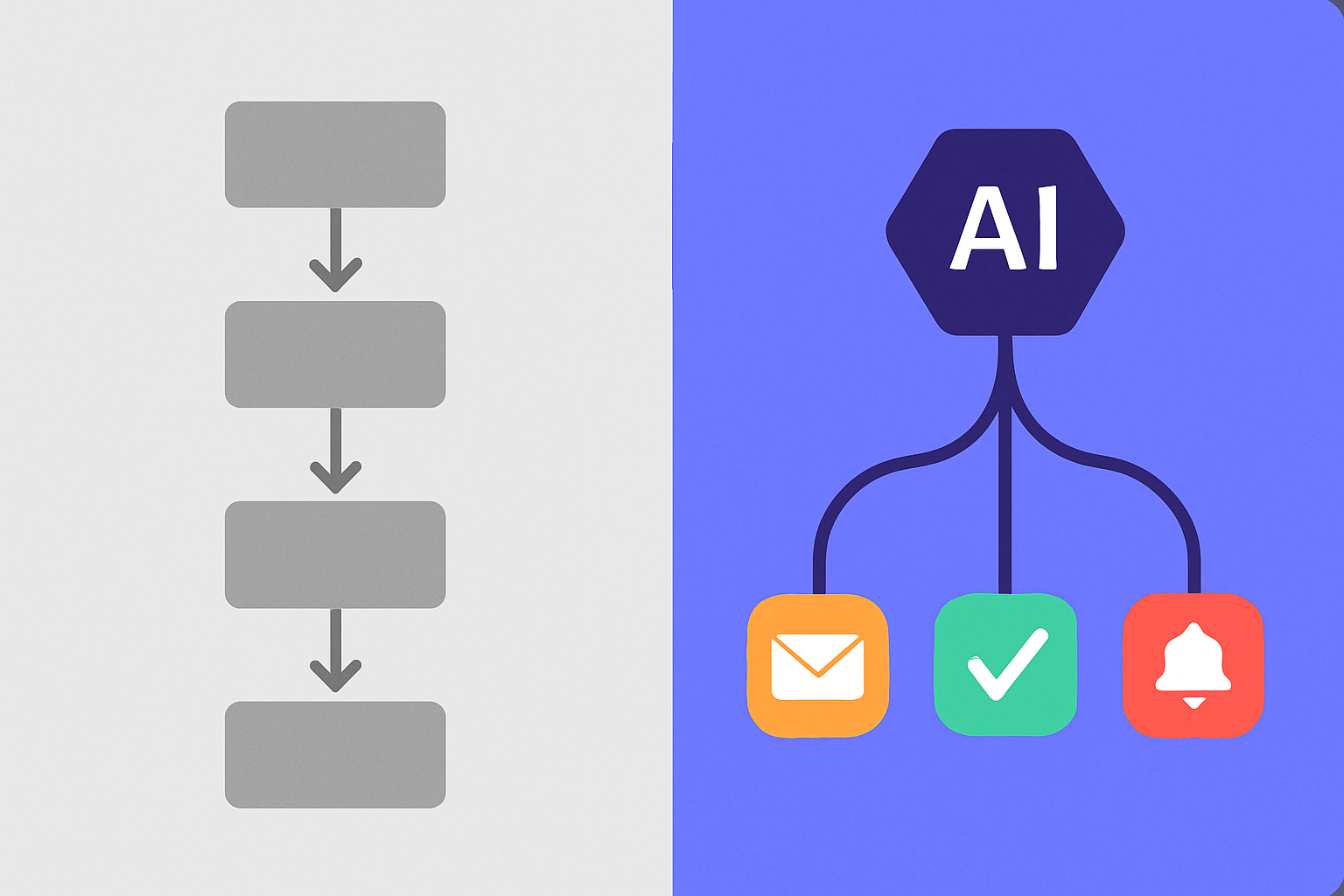
TL;DR: An agentic workflow is an automated process where an AI agent decides what to do next based on real-time context, rather than following a fixed sequence of predetermined steps. Traditional workflows run the same path every time. Agentic workflows adapt. They are useful anywhere a process needs to branch, retry, or escalate based on what is actually happening. No-code tools like TinyWorkflows and TinyAgents let you build one today.
Imagine two different "new customer" workflows.
The first one does the same thing for every customer: send a welcome email, create a record, assign to a rep. Reliable. Predictable. And completely blind to whether the customer is a $500 startup or a $50,000 enterprise.
The second one reads the customer's company size, industry, and product plan when they sign up. It routes enterprise signups to a dedicated onboarding call. It sends the startup a self-serve guide. It flags anyone who has not logged in after 48 hours for a personal check-in. Each customer gets a different path based on what is actually true about them.
That second workflow is an agentic workflow.
The difference is not how many steps there are. It is whether the system decides the path or follows a predetermined script. This distinction is becoming one of the most important in business automation, and it is why searches for "agentic workflow" have grown 70% in the past three months alone.
What Is an Agentic Workflow?
An agentic workflow is a business process where an AI agent determines the next action based on context, data, and outcomes rather than a fixed sequence. The word "agentic" comes from AI agent design: it means a system that can plan and decide, not just execute.
Anthropic describes agentic AI as systems that "take sequences of actions and plan and make a series of decisions in order to complete longer-horizon tasks." Applied to business workflows, this means the automation reads what happened at each step and decides what to do next based on that information.
A standard workflow is like a recipe: step one, step two, step three, always in that order. An agentic workflow is like a skilled employee: they read the situation, make a judgment call, and take the appropriate action.
How Agentic Workflows Differ from Traditional Automation
Traditional automation follows a path you define in advance. Agentic workflows let the AI decide the path based on what it observes. The gap between them shows up clearly when something unexpected happens.
In a traditional workflow: a customer submits a refund request, the workflow creates a ticket, the ticket goes to the queue. What happens next depends entirely on which human picks it up and when.
In an agentic workflow: the agent reads the request, checks the customer's order history and account status, determines whether the refund qualifies under your policy, approves or escalates based on the amount, sends an appropriate response, and logs the outcome. The path is different for a first-time customer requesting $10 versus a high-value account requesting $500. Each decision happens in real time based on real data.
IBM's framework for AI agents describes this as the key distinction: an agentic system "designs its own workflow" rather than executing one pre-specified by a human. The design happens dynamically, at runtime.
The practical result: agentic workflows handle exceptions without breaking. Traditional workflows treat exceptions as edge cases that need human intervention. Agentic workflows treat exceptions as decision points.
Real Examples of Agentic Workflows in Business
The clearest way to understand agentic workflows is to see them in specific contexts. These are not hypotheticals. Each is a workflow type businesses are running with AI tools available today.
Lead qualification and routing: A form submission triggers the workflow. The agent looks up the company's size, industry, and tech stack. Companies over 200 employees get routed to enterprise sales with a personalized outreach. SMBs under 50 get an instant welcome email and land in a table for your next campaign. Existing customers who filled out a contact form get a direct call from their account manager. Three paths, one trigger, no human decision needed.
Support triage and resolution: An inbound support ticket enters the queue. The agent reads the issue, searches the knowledge base for matching solutions, checks if the customer has logged the same issue before, and decides: self-serve resolution with a help doc link, a direct fix if it can access the relevant system, or escalation to a human with full context already gathered. McKinsey research estimates that AI could automate 60 to 70% of the work in customer service roles. Agentic triage is the first layer of that.
Contract and document processing: A signed contract arrives. The agent extracts the key terms (contract value, renewal date, product tier, special commitments), creates a record in your CRM, sets a calendar reminder for the renewal date, notifies the account team, and sends a confirmation to the customer. What took an ops person 20 minutes per contract takes the agent 45 seconds.
Content publishing and distribution: A blog post draft is submitted for review. The agent checks it against your style guide, flags any SEO gaps, verifies that all internal links are valid, sends a review request to the editor, and adds it to the content calendar. When the editor approves, the agent schedules publication, drafts social posts for each platform, and queues them for the next available slot. Human creativity in, automated production out.
You can build each of these with TinyWorkflows combined with TinyAgents. The workflow handles the reliable sequential steps. The agent handles the decision points.
The Architecture of an Agentic Workflow
An agentic workflow combines three components: a trigger, one or more AI decision points, and a set of connected tools. Understanding these three parts helps you design one clearly.
The trigger starts the process: a form submission, an incoming email, a new database record, a scheduled time, or a webhook from an external system. The trigger is usually the same as a traditional workflow trigger.
The AI decision points are where the workflow becomes agentic. At each decision point, the agent reads available context (data from the trigger, results of previous steps, information it can look up), considers your instructions and guardrails, and decides the next action. This is the step that traditional automation cannot do without hard-coded if/else branching.
Connected tools are what the agent actually uses to act: reading from a database, sending an email, creating a record, posting to Slack, calling an API, or triggering a sub-workflow. The quality of the tools determines the quality of the agent's decisions. An agent with no tools can think but cannot act.
Anthropic's research on multi-step agentic tasks emphasizes the importance of human oversight at the design stage: setting the right tools, the right guardrails, and the right escalation paths. Agentic workflows are more capable than fixed workflows precisely because they can deviate from a script. That also means the design of the guardrails matters more.
How to Build an Agentic Workflow Without Code
Building your first agentic workflow does not require a developer. The steps below work with TinyWorkflows and TinyAgents together. Use the workflow canvas for the reliable sequential structure and an embedded agent for the decision points within it.
Step 1: Map the process you want to automate, including every exception. Write out what happens, what could go differently, and what the right response is in each case. Most processes have two to four significant variations. These variations are your decision points.
Step 2: Identify which steps are reliable sequences and which need AI judgment. Sending a confirmation email is a reliable step: it always happens, the same way. Deciding whether to approve a refund is a decision point: it depends on context. Reliable steps belong in the workflow. Decision points belong with the agent.
Step 3: Set up the workflow trigger and sequential steps. In TinyWorkflows, connect your trigger (form submission, new record, schedule) and add the steps that always happen in the same order.
Step 4: Add the agent as a decision node. At each point where the path depends on context, call the agent with the relevant data. The agent reads the data, applies your instructions, and returns a decision or takes an action. Pass the agent's output back into the workflow to determine the next branch.
Step 5: Define guardrails and an escalation path. Every agentic workflow needs a clear definition of what the agent should escalate to a human. "If refund over $200, escalate." "If customer tier is Enterprise, notify account manager before acting." Escalation paths make autonomous workflows safe to run.
Step 6: Test with real data, including edge cases. Run 20 realistic scenarios through the workflow. Pay particular attention to the edge cases: the unusual request, the missing data, the customer who does not fit any expected category. Fix the instructions where the agent guesses wrong.
Where Agentic Workflows Break Down
Agentic workflows are not universally better than traditional automation. There are three situations where traditional fixed workflows are the right choice.
When the process has no meaningful variation. If a new customer always gets the same welcome email with the same content, that is a workflow, not an agentic workflow. Adding AI to a process that does not need decisions is complexity without benefit.
When the stakes of a wrong decision are too high. An agentic workflow that can issue refunds, delete records, or send external communications carries real risk if the agent misinterprets context. For high-stakes actions, use the agent to prepare a recommendation and a human to confirm. Save the autonomous action for lower-stakes decisions.
When you do not have enough clean data. Agentic decisions are only as good as the data the agent reads. If your customer records are incomplete or your product data is inconsistent, the agent's decisions will reflect that. Fix the data before adding the agent.
Is an Agentic Workflow the Right Next Step for Your Business?
If your business has any process that looks like "it depends," an agentic workflow can handle the "depends on what" automatically.
Support routing that depends on customer tier. Follow-up emails that depend on what the lead answered on your form. Approval workflows that depend on the dollar amount. Content scheduling that depends on what is already published this week.
Every "it depends" in your operations is an opportunity for an agentic workflow to make the decision faster, more consistently, and at a scale no human team can match.
The fastest path to your first one is TinyWorkflows paired with TinyAgents. The workflow canvas handles the structure. The agent handles the decisions. Both are on the same platform, sharing the same data, with no middleware between them.
Start building free. No 30-day trial. No credit card required.
Frequently Asked Questions
What is an agentic workflow in simple terms?
An agentic workflow is an automated business process where an AI makes the decisions about what to do next, rather than following a fixed pre-set sequence. Traditional automation does the same steps every time. An agentic workflow adapts based on what is actually happening: customer data, previous actions, and real-time context.
What is the difference between an agentic workflow and a traditional workflow?
A traditional workflow runs the same path every time, determined by rules you set in advance. An agentic workflow uses an AI agent to evaluate context at each decision point and determine the next action. Traditional workflows handle predictable processes. Agentic workflows handle processes where the right action depends on what you observe.
What kinds of business tasks are best suited for agentic workflows?
Processes with meaningful variation are the best fit: support triage, lead routing, contract processing, content scheduling, and approval flows. Any business process where the right action depends on context rather than a fixed rule is a candidate. Processes that are completely predictable and have no meaningful variation are better served by traditional automation.
Do agentic workflows replace human judgment?
Not entirely, and they should not try to. Well-designed agentic workflows handle the clear cases autonomously and escalate the ambiguous ones to humans. A good agentic support workflow might resolve 65% of tickets without human input and escalate the other 35% with full context already gathered, so the human can act faster. The goal is to handle what is clear and flag what is not.
How do I start building an agentic workflow?
Start by mapping one process you want to automate and identifying every decision point within it. For each decision point, write down what information the agent needs to make the right call and what the guardrails are. Then build the workflow structure for the sequential steps and add an AI agent for the decision points. No-code platforms like TinyWorkflows and TinyAgents let you do this without writing code.